
Quick Answer & Verdict
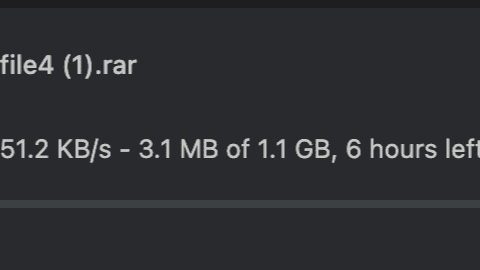
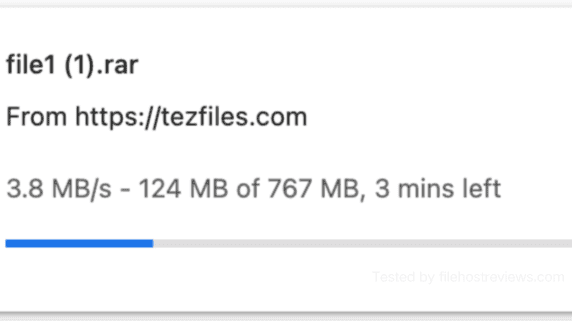
TezFiles’ free tier is built to frustrate: a 25-second wait timer, a typed alphanumeric CAPTCHA, and a crawling 51.2 KB/s transfer rate that turned a 1.1 GB file into a roughly six-hour download in our test. Premium removes all of that friction — but here’s the catch buyers need to understand before paying: the speed you get depends entirely on which tool you use. A single Chrome download on Premium Max reached just 3.8 MB/s, and two parallel browser downloads only managed 6.8 MB/s combined. Route the same files through JDownloader 2 with 38–40 open connections, however, and throughput exploded to 53.15–53.19 MiB/s — roughly 55.7 MB/s, a 14.7x jump over the single Chrome download.
That gap is the entire story of this review. At $35.94 for 30 days, TezFiles sits among the more expensive entry prices in the file-hosting space, and if you only ever download through a web browser, that price is very hard to justify at 3.8 MB/s. TezFiles only makes sense if the files you need are genuinely exclusive to this host — and if you’re willing to set up JDownloader 2 to actually use the bandwidth you’re paying for. Treat JD2 as mandatory, not optional, for this service.
Key Facts & Benchmark Summary
Every figure below comes from hands-on testing on a 1 Gbps symmetric fiber connection, following our standard testing methodology.
| Metric | Result |
|---|---|
| Tested plan | Premium Max Silver |
| Free tier speed | 51.2 KB/s on a 1.1 GB file (~6 hours remaining) |
| Free tier gating | 25-second wait timer + typed alphanumeric CAPTCHA |
| Chrome single-file speed | 3.8 MB/s |
| Chrome dual-file speed | 6.8 MB/s combined (2.6 + 4.2 MB/s) |
| JDownloader 2 speed | 53.15–53.19 MiB/s across 38–40 connections |
| Daily quota | 100 GB/day advertised; 91.126 GiB shown in JD2 |
| Starter price | $35.94 for 30 days |
TezFiles Premium Plans & Pricing: Premium vs Premium Max
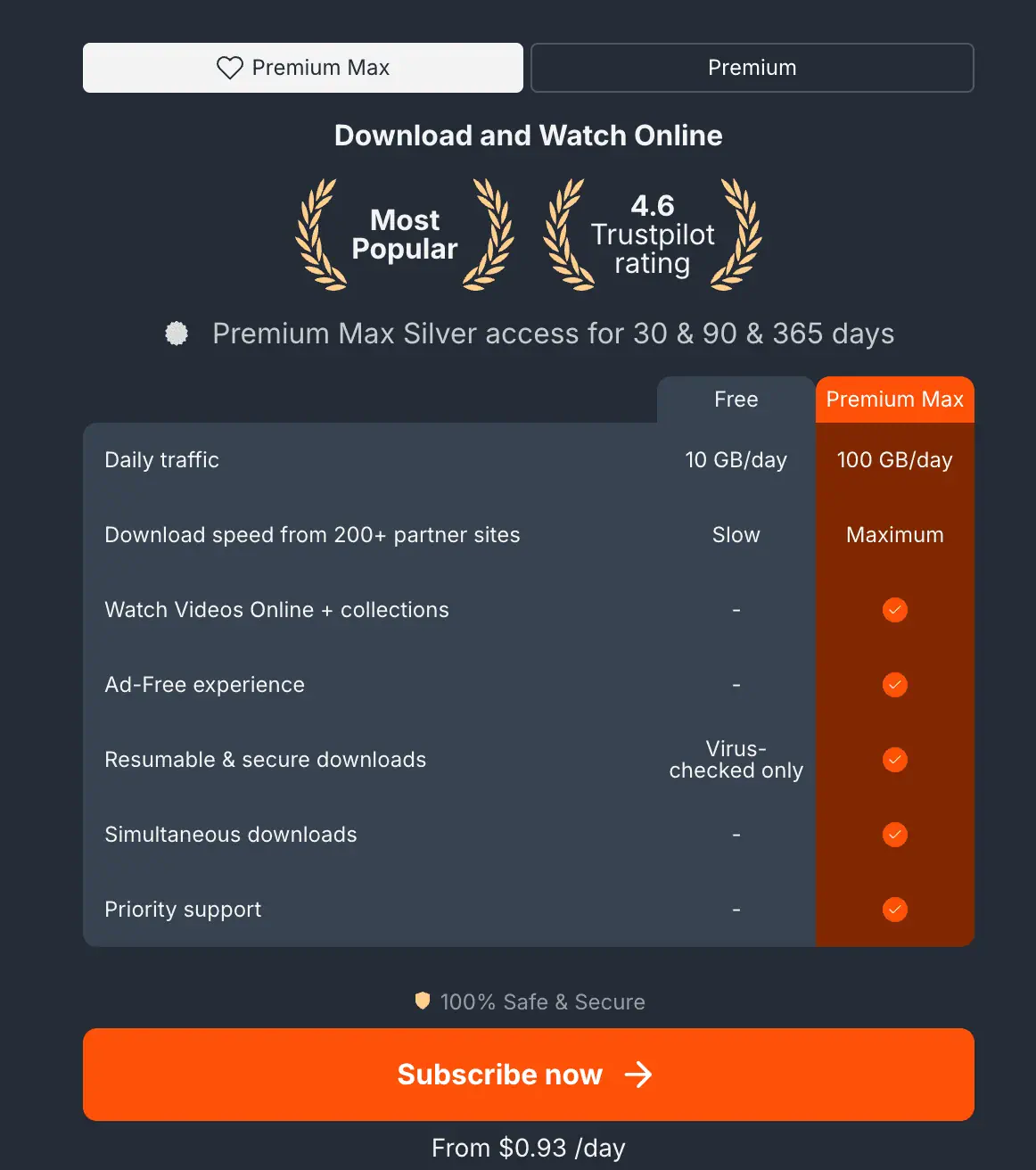
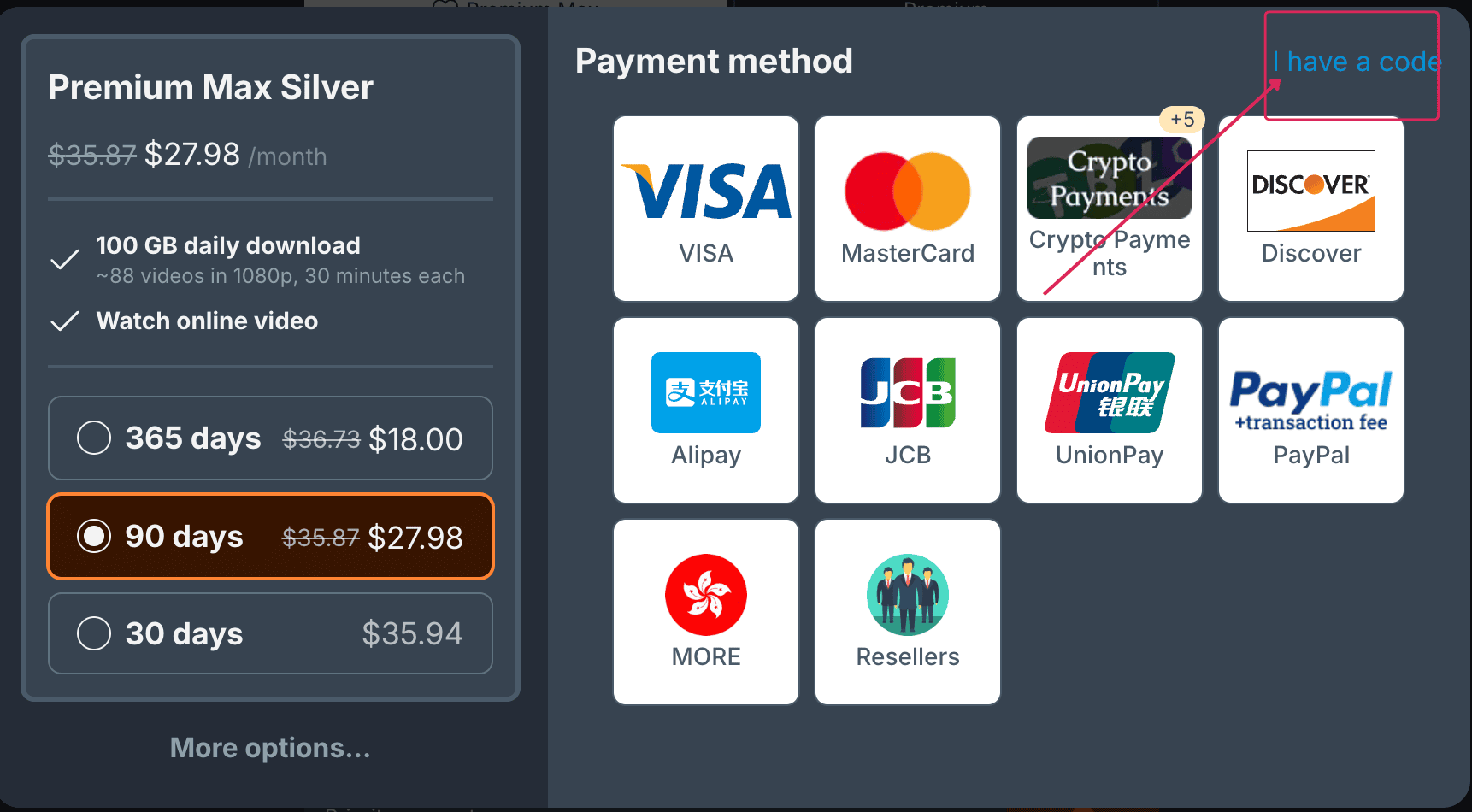
TezFiles runs separate Premium and Premium Max tabs on its upgrade page. We tested the Premium Max Silver tier specifically, which advertises 100 GB of daily download traffic, priority support, simultaneous downloads, resumable downloads, and what TezFiles markets as maximum download speed.
Checkout displayed three duration options:
- 30 Days: $35.94
- 90 Days: $27.98 per month
- 365 Days: $18.00 per month
That $35.94 entry price for 30 days is steep — it’s among the highest starting prices you’ll find in the file-hosting space, well above what comparable premium-link services charge for a first month. The per-month cost drops significantly with longer commitments ($27.98/month at 90 days, $18.00/month at 365 days), but confirm the total charge and renewal terms on the live checkout page before committing to a longer plan. For a first purchase, the 30-day option limits your exposure while you confirm the service actually delivers on your connection and with your specific files.
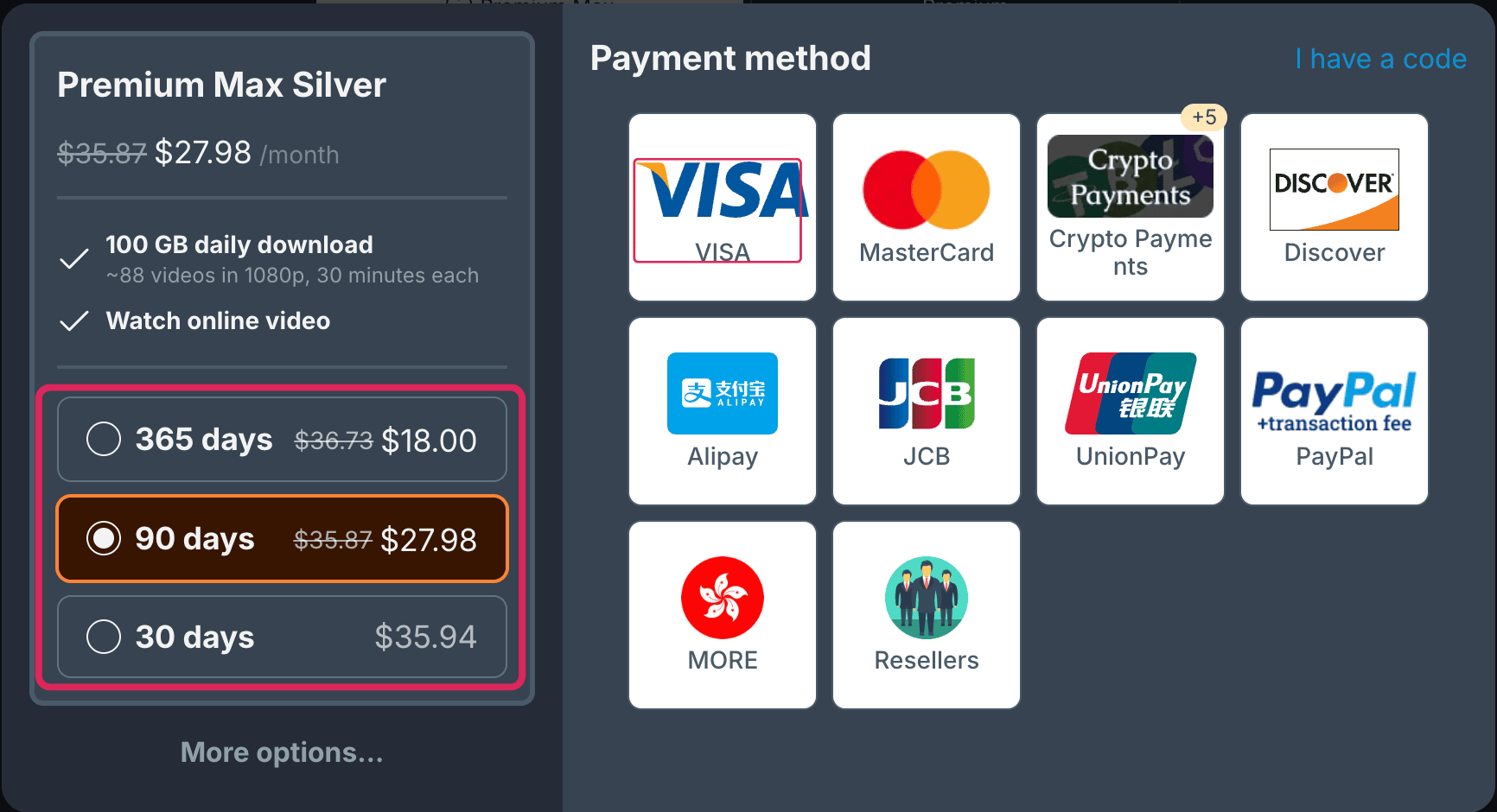
Payment methods available at checkout included Visa, Mastercard, Discover, JCB, UnionPay, Alipay, cryptocurrency gateways, PayPal (marked with an additional transaction fee), and third-party resellers. Payment processing partners change frequently across direct-download hosts, so verify current availability on the live checkout page before assuming a specific method will work.
Check Current TezFiles PlansAffiliate disclosure: This article contains affiliate links. We may receive a commission if you purchase through them; this does not change the measurements or verdict reported here.
Free vs Premium: What Actually Changes
TezFiles’ free tier technically advertises a 10 GB daily allowance, but at our measured 51.2 KB/s, a full 24 hours of continuous downloading would only move about 4.4 GB — meaning the advertised quota is essentially impossible to reach in practice. The real limiting factor isn’t the daily cap; it’s the speed itself.
| Feature | Free Tier | Premium Max Silver |
|---|---|---|
| Download Speed | 51.2 KB/s measured | 53.15 MiB/s combined in JD2 |
| Wait Timer | 25 seconds observed | Instant start |
| CAPTCHA | Typed alphanumeric challenge | None |
| Parallel Downloads | Disabled — one file at a time | Multiple concurrent downloads enabled |
| Direct Downloads | Disabled | Available via account settings |
| JDownloader 2 Support | Limited by CAPTCHA and throttle | Full premium account with multi-connection support |
| Daily Traffic Allowance | 10 GB advertised, unreachable in practice | 100 GB/day advertised |
| Resume Support | Unreliable | Supported |
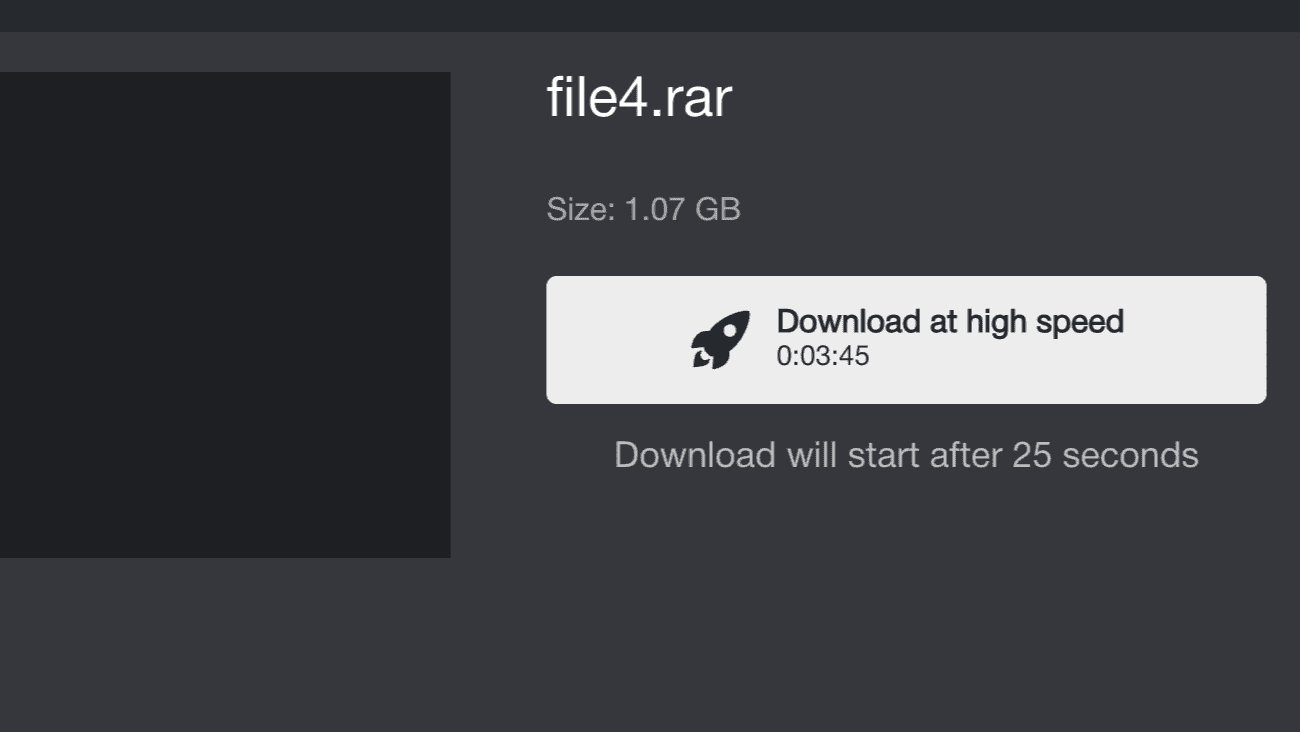
Starting a free download means clearing a mandatory countdown first.
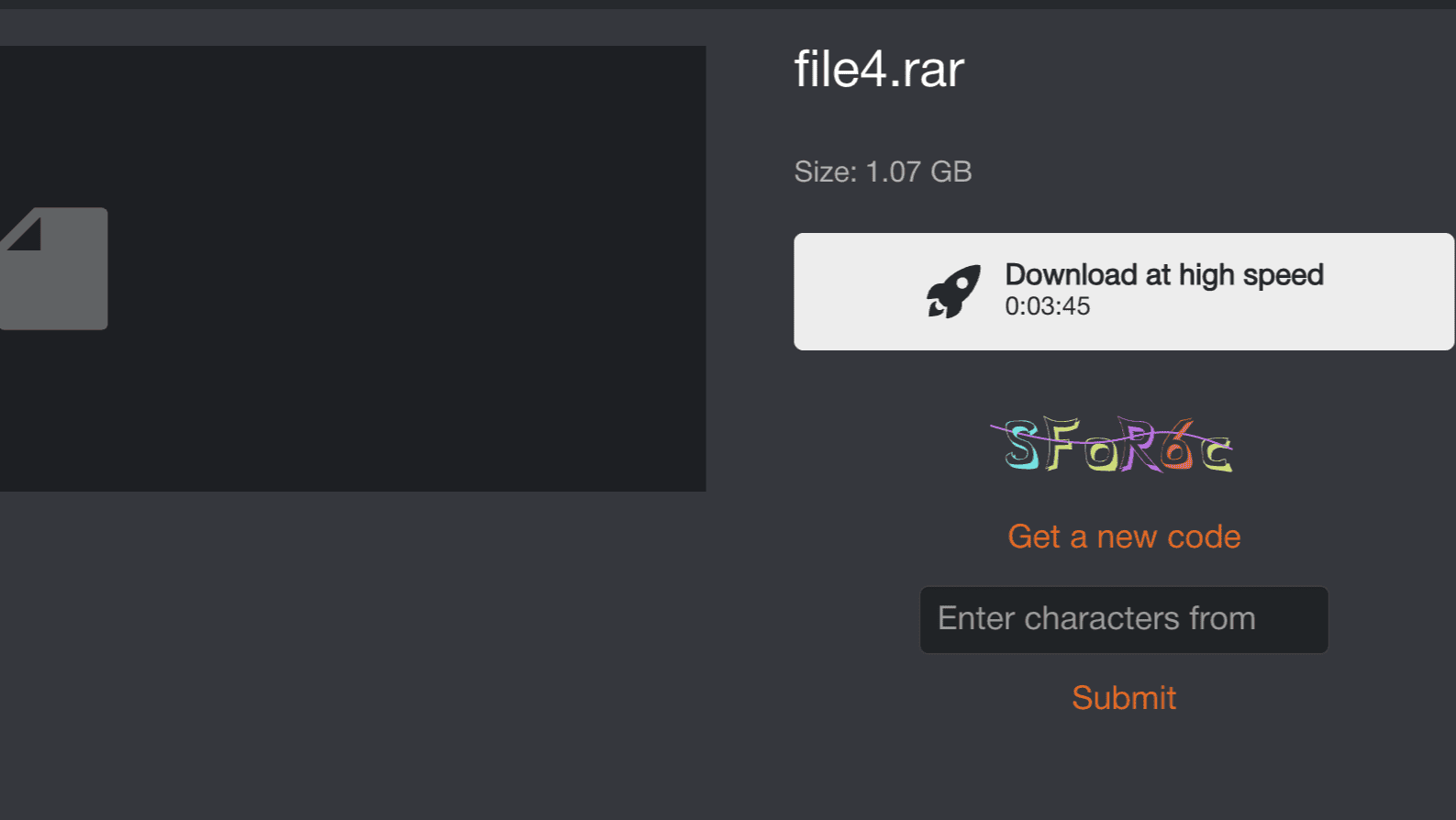
Next comes a typed alphanumeric CAPTCHA — a step up in friction from the simpler click-based challenges found on some competing hosts.
Once past both gates, the download itself crawls. Our 1.1 GB RAR file ran at 51.2 KB/s with roughly six hours remaining on the progress estimate — a speed that makes anything beyond a tiny file impractical on the free tier.
Real Speed Test Results: Chrome vs JDownloader 2
To measure Premium performance, we downloaded a test package of four RAR files totaling 3.796 GiB over our 1 Gbps symmetric fiber connection. The results reveal a dramatic split between browser and download-manager performance.
1. Chrome Single-File Test: The 3.8 MB/s Bottleneck
Downloading a single 767 MB test archive through Google Chrome produced just 3.8 MB/s. That’s a modest improvement over the free tier, but it leaves the vast majority of a 1 Gbps fiber connection completely idle. If this is the only way you plan to use TezFiles, the math on the $35.94 entry price gets difficult to justify.
2. Two Parallel Chrome Downloads: 6.8 MB/s Combined
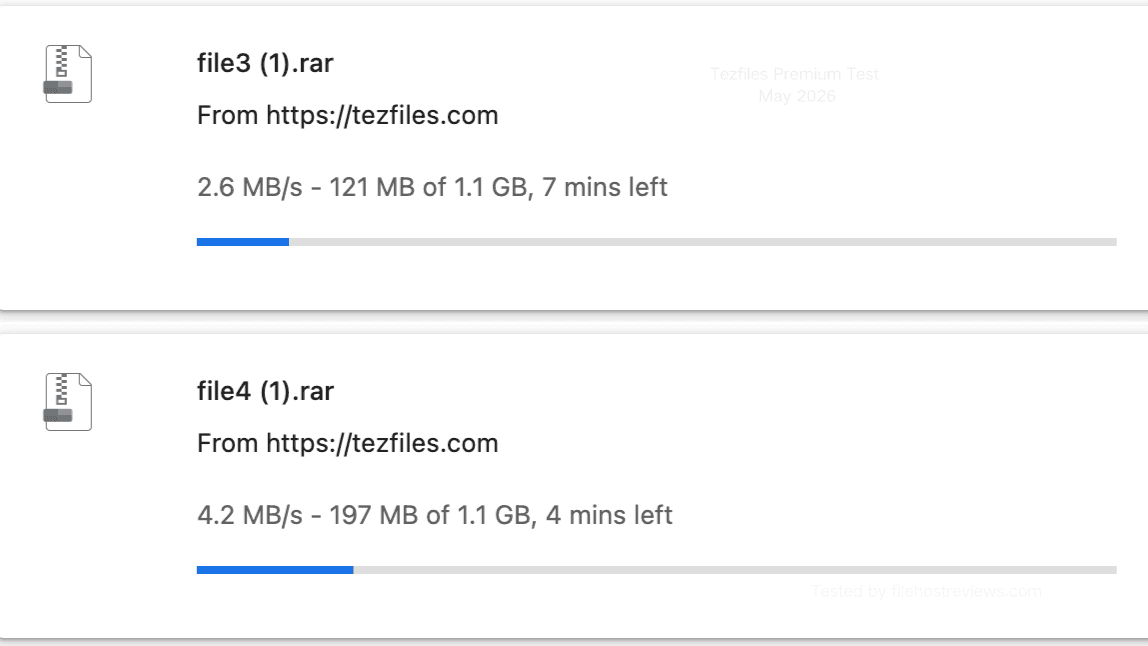
Running two files simultaneously in Chrome produced 2.6 MB/s and 4.2 MB/s respectively, totaling 6.8 MB/s combined. This confirms that TezFiles isn’t hard-capping every connection at a fixed ceiling — adding a second parallel stream genuinely increased throughput. But even doubled, browser-only downloading remains a fraction of what the connection and the plan are actually capable of.
3. JDownloader 2 Multi-Connection Test: 53.15 MiB/s Across 40 Connections
This is where TezFiles Premium actually delivers. Loading all four parts of the 3.796 GiB test package into JDownloader 2 and letting it open multiple connections per file changed the picture entirely. In our first run, four parallel files spread across 40 active open connections reached 53.157 MiB/s combined, with individual file rows ranging from 11.80 to 15.06 MiB/s.
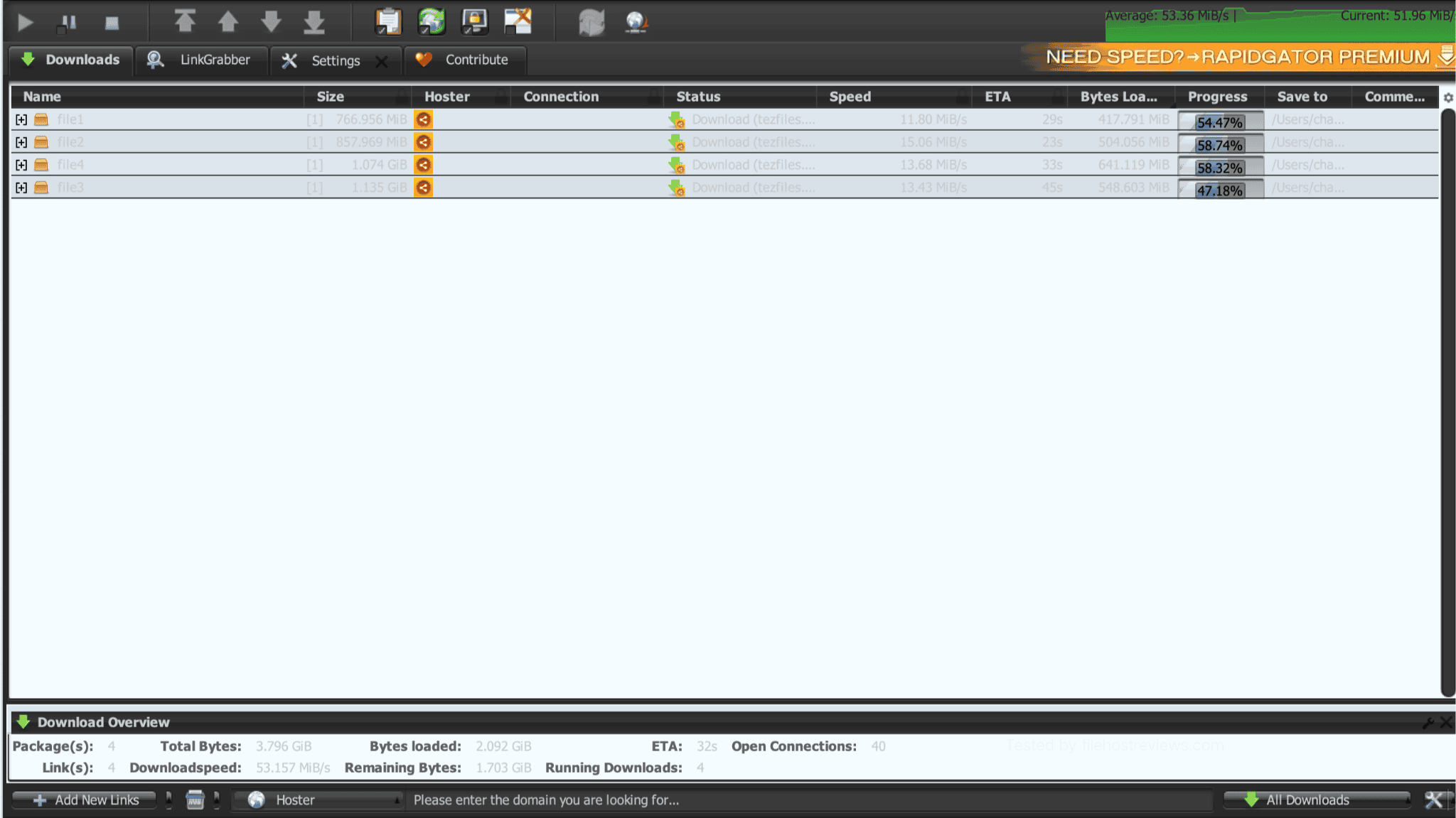
A second run produced an almost identical result: 53.195 MiB/s combined across 38 open connections, with individual file rows between 11.71 and 15.39 MiB/s. The 26-second ETA visible in that capture reflected the remaining time after the files were already more than halfway complete — not the duration of the full 3.796 GiB transfer. Two consistent runs in the same range confirm this is TezFiles’ genuine throughput ceiling with JDownloader 2, not a one-off lucky capture.
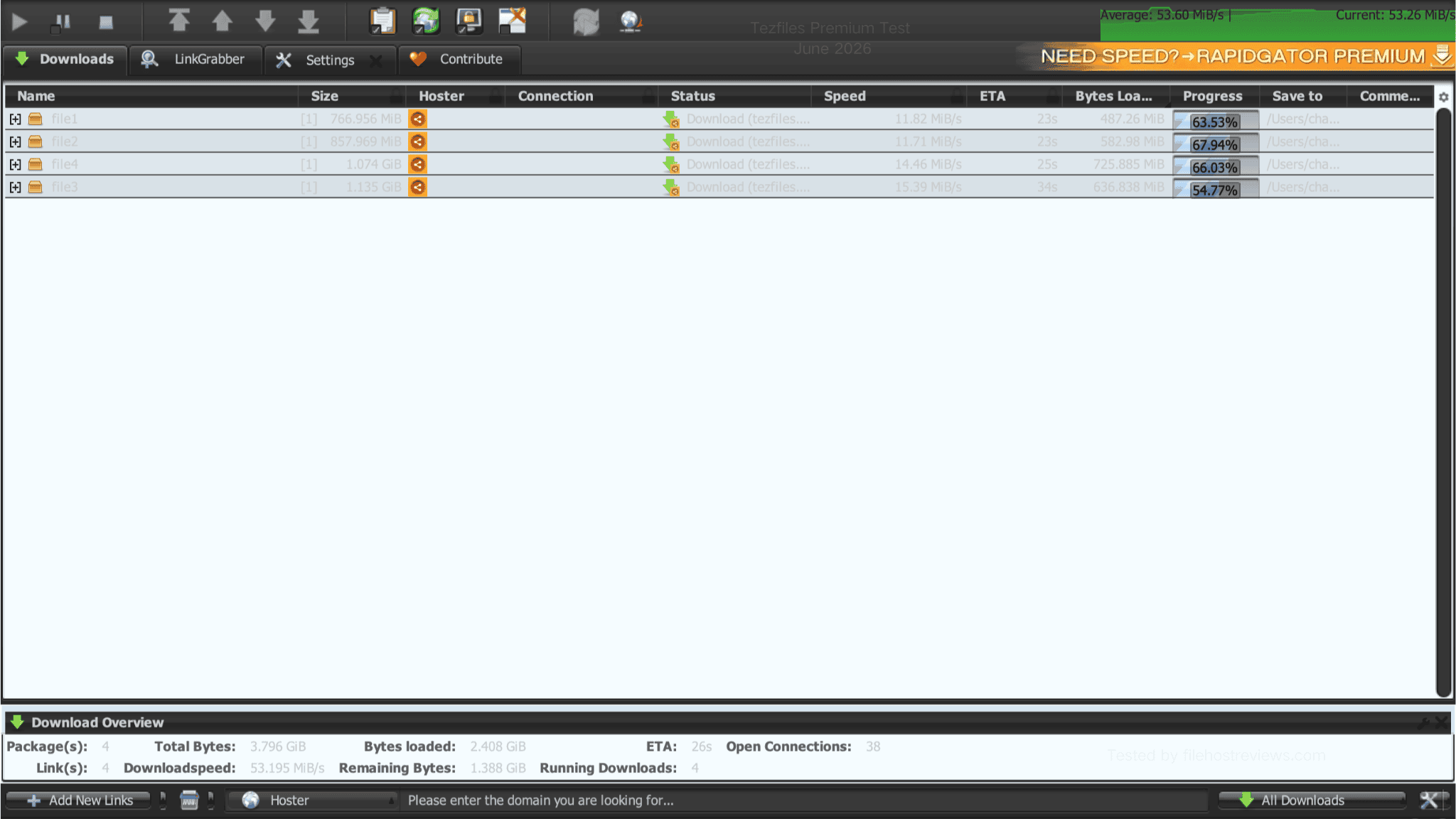
Converting units puts the gap in perspective: 53.15 MiB/s works out to roughly 55.7 MB/s. Measured against the single Chrome download at 3.8 MB/s, JDownloader 2 delivered 14.7 times the throughput. This isn’t a marginal optimization — it’s the difference between a download that takes hours and one that finishes in minutes. For comparable benchmarks on other services, see our guide to the best JDownloader-compatible file hosts.
How to Buy TezFiles Premium & Redeem Reseller Codes
Registration and checkout follow a straightforward four-step flow:
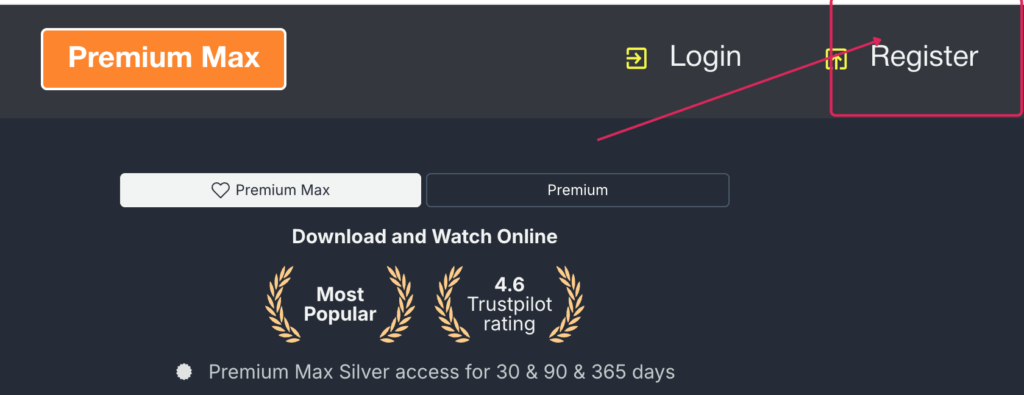
Step 1 — Open Registration: Click Register in the top-right corner of the TezFiles homepage.
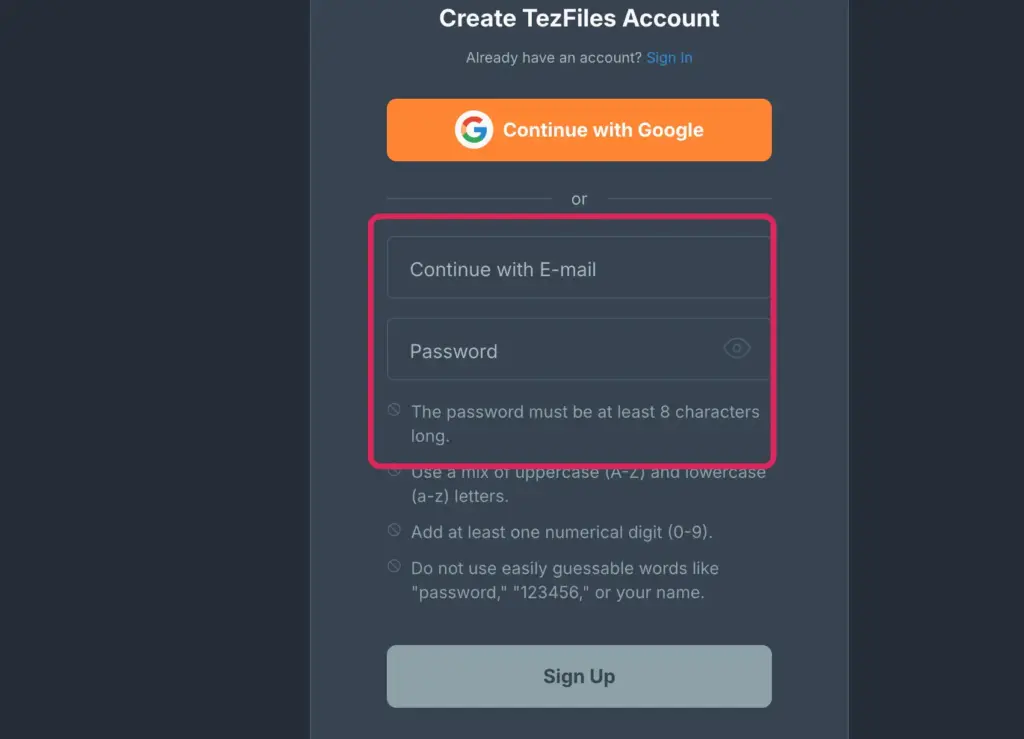
Step 2 — Create Your Account: Sign up using an email address and a password meeting the security requirements (at least 8 characters with mixed case and numbers), or select “Continue with Google” to skip manual entry.
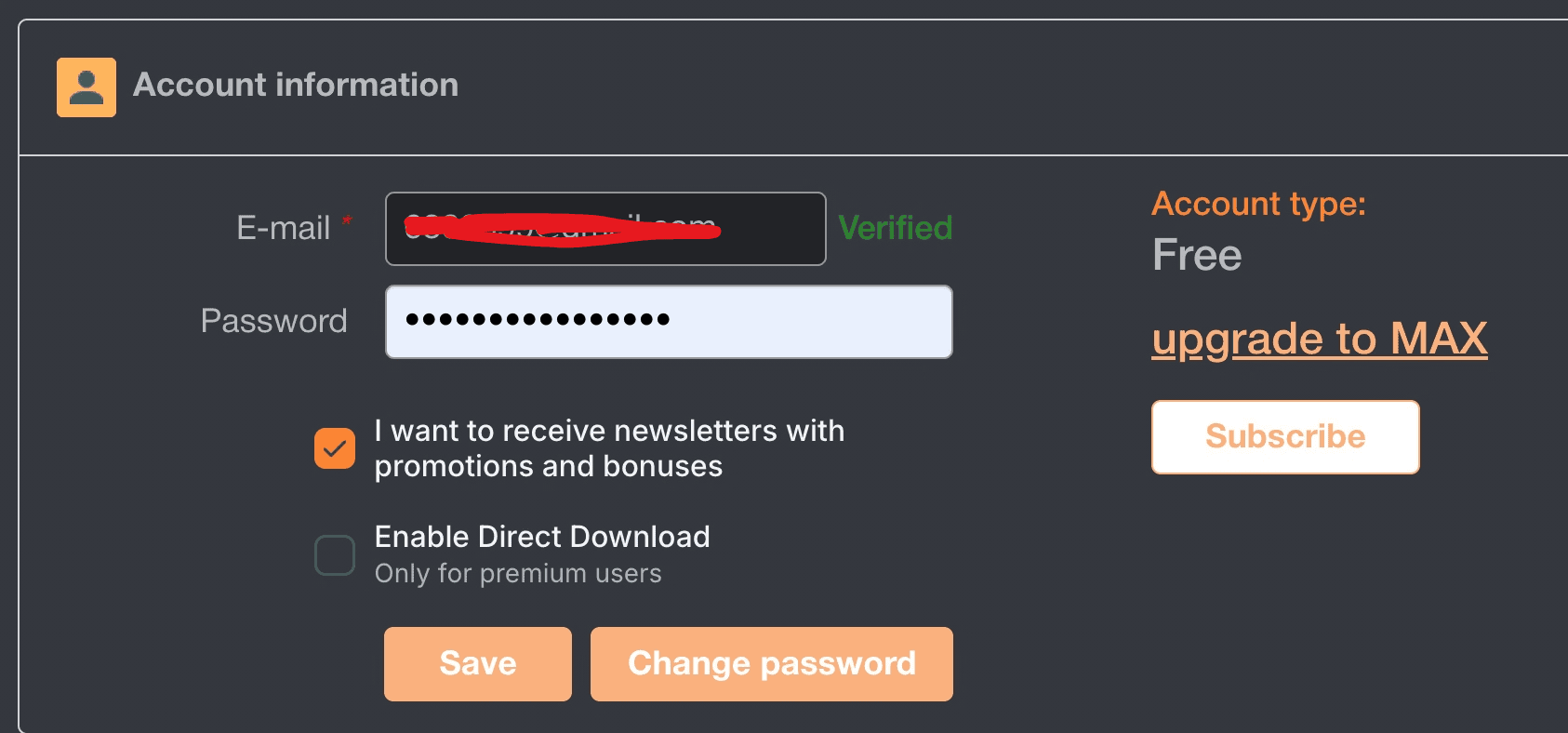
Step 3 — Verify Account: Check your email inbox to verify your address. Your account status will confirm your active email and initial free status.
Step 4 — Select Duration & Payment Gateway: Choose a 30, 90, or 365-day term and select your payment provider from the available options.
Redeeming a Reseller Code
If you purchased an activation voucher from an authorized reseller, click “I have a code” during checkout, or navigate to the Reseller Code field in your profile settings. Paste the voucher code and click Activate my code.
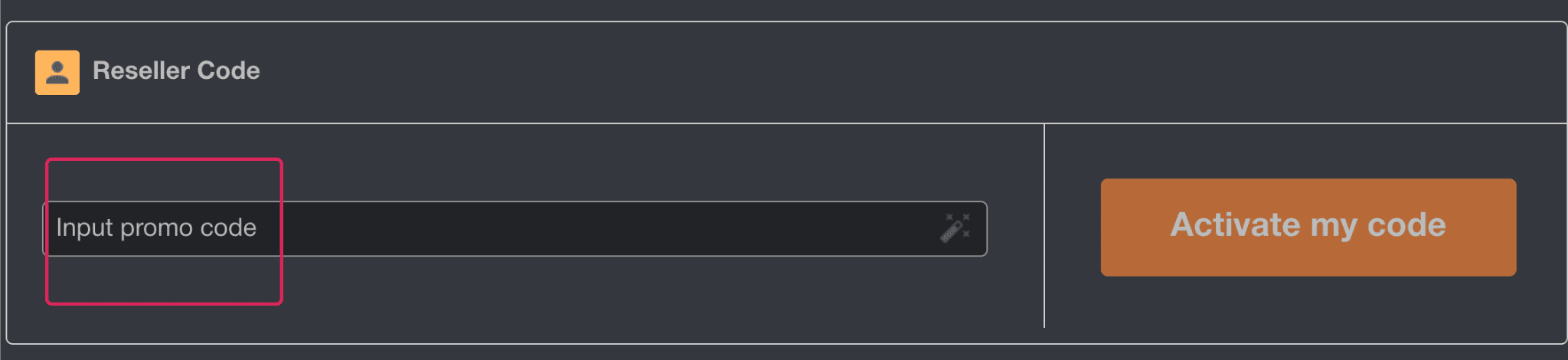
This field is specifically for prepaid reseller vouchers — not generic promotional discount coupons. If you have a code from a third-party seller granting account access, this is where it goes; don’t confuse it with a percentage-off coupon field.
How to Configure JDownloader 2 & Direct Downloads
Given the dramatic gap between browser and JD2 performance, this setup isn’t optional — it’s the entire reason to buy TezFiles Premium.
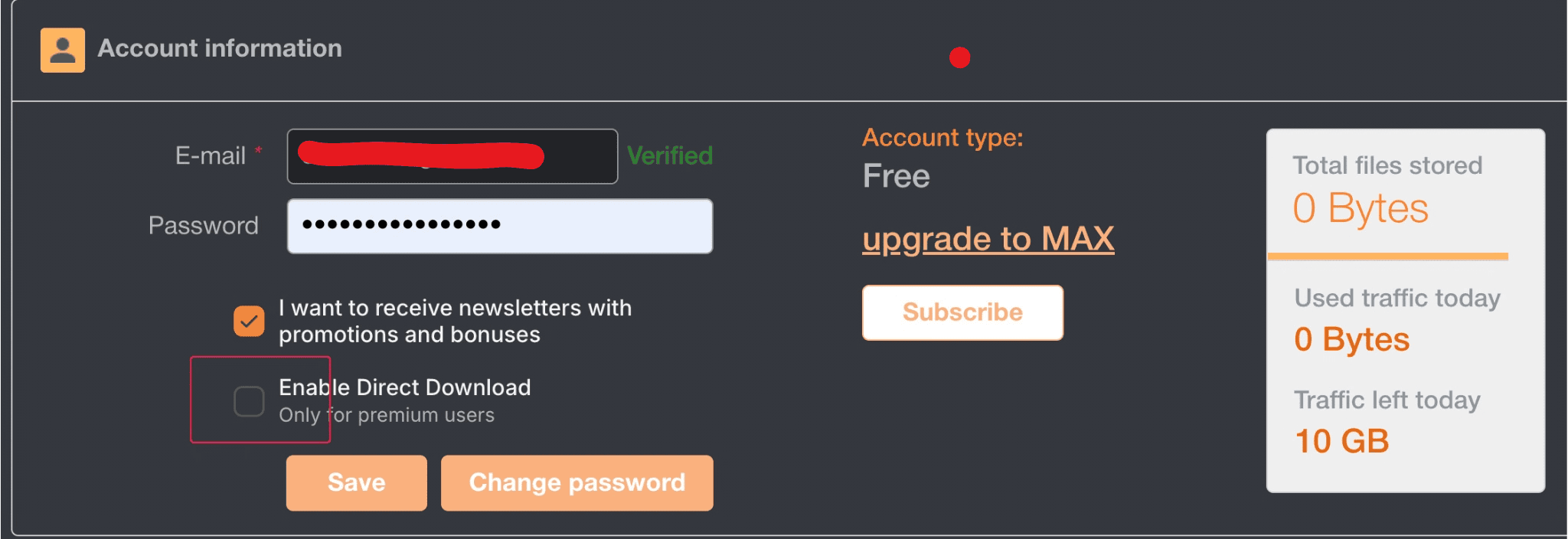
Step 1: Enable Direct Download
Open Account Information and locate Enable Direct Download. This setting is marked Premium-only in the account panel. Turning it on lets supported links begin transferring immediately, skipping the intermediate landing page entirely.
Step 2: Connect JDownloader 2
Add your account inside JDownloader 2 with these steps:
- Open JDownloader 2 and click the Settings tab.
- Select Account Manager from the left sidebar and click + Add.
- Search for
tezfiles.com, enter your login email and password, and click Save.
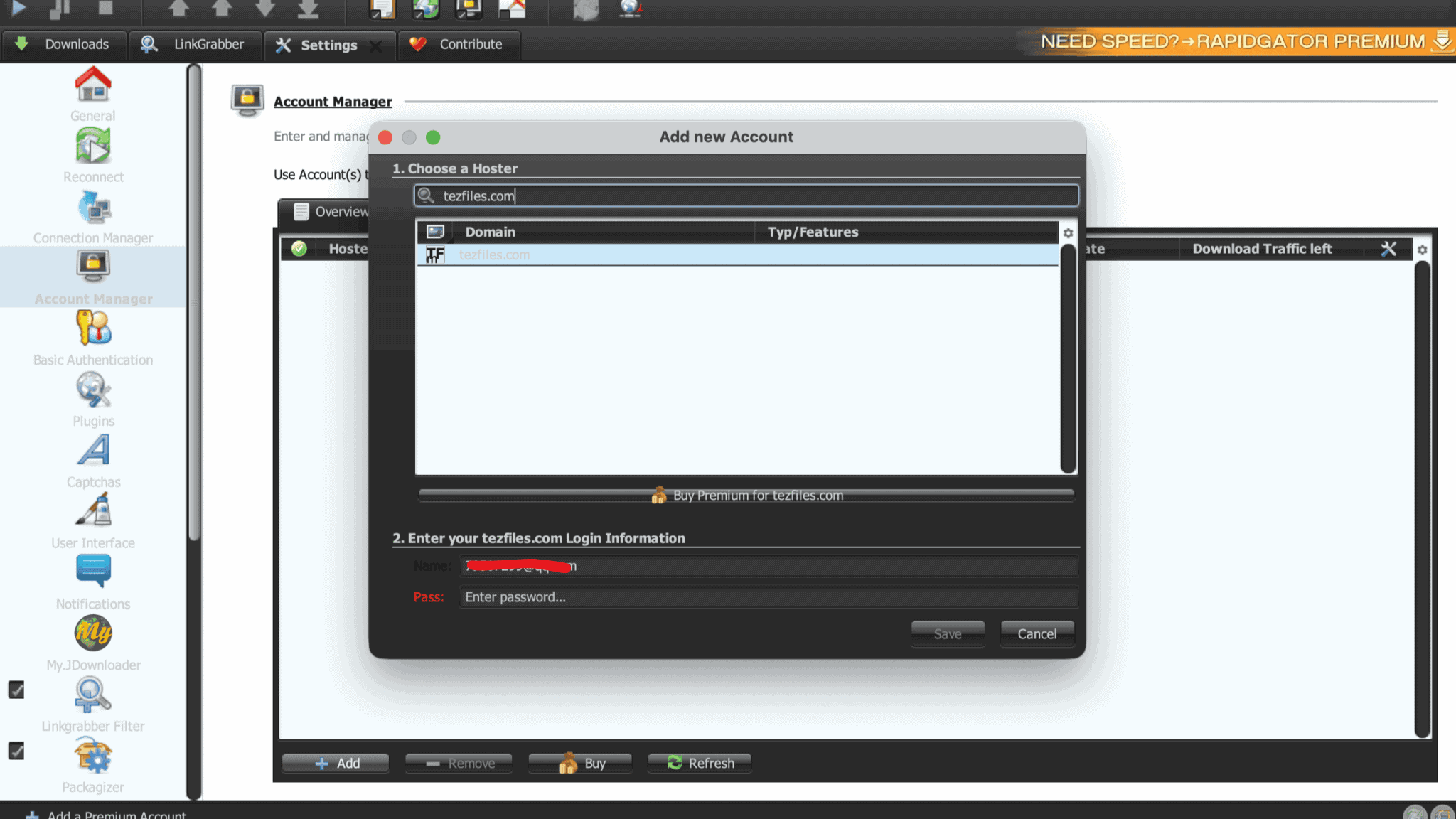
JD2 authenticates your credentials and returns a confirmation: “Verified logins: Premium Account | Quota reset in: [hours/minutes].”
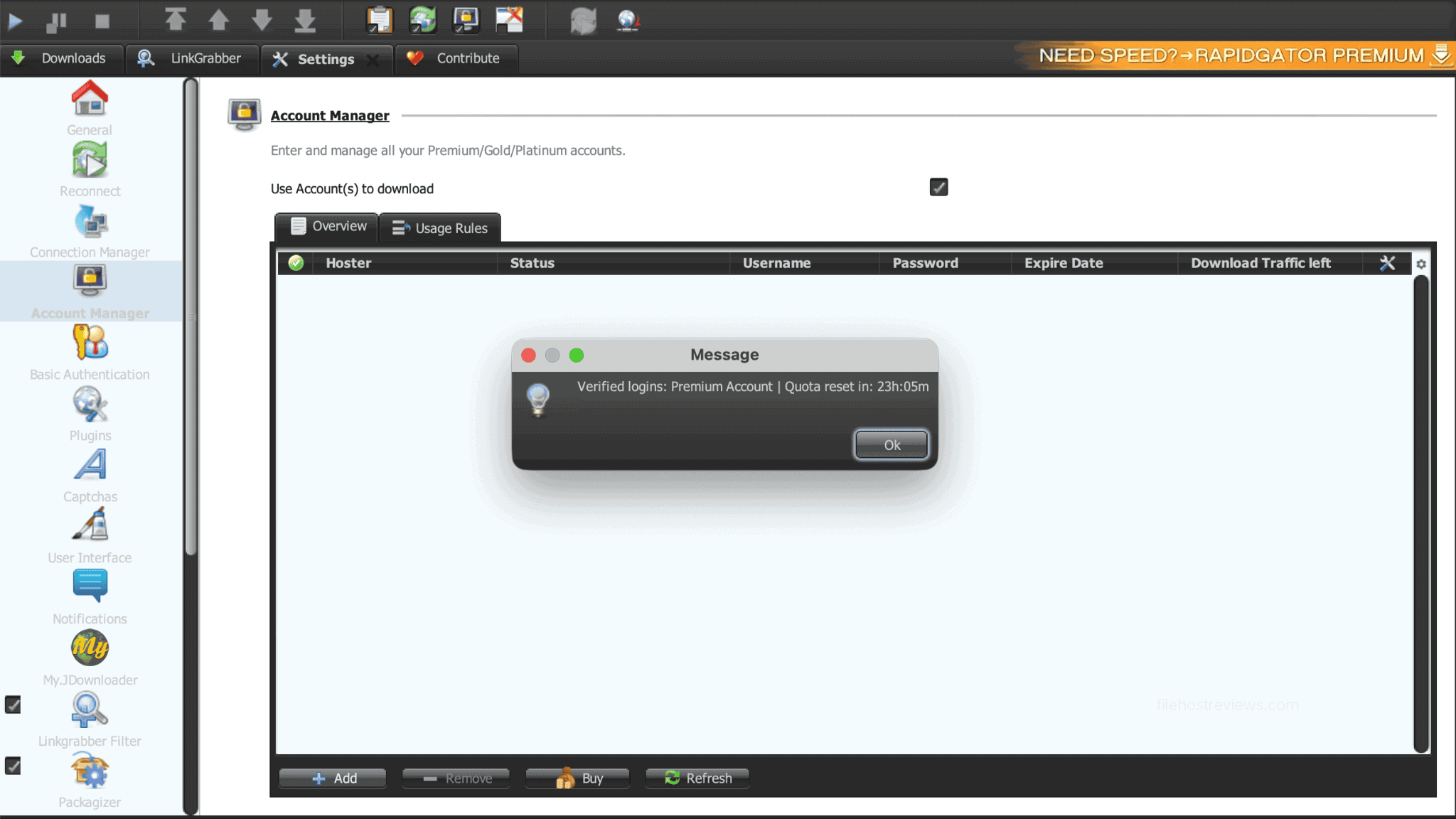
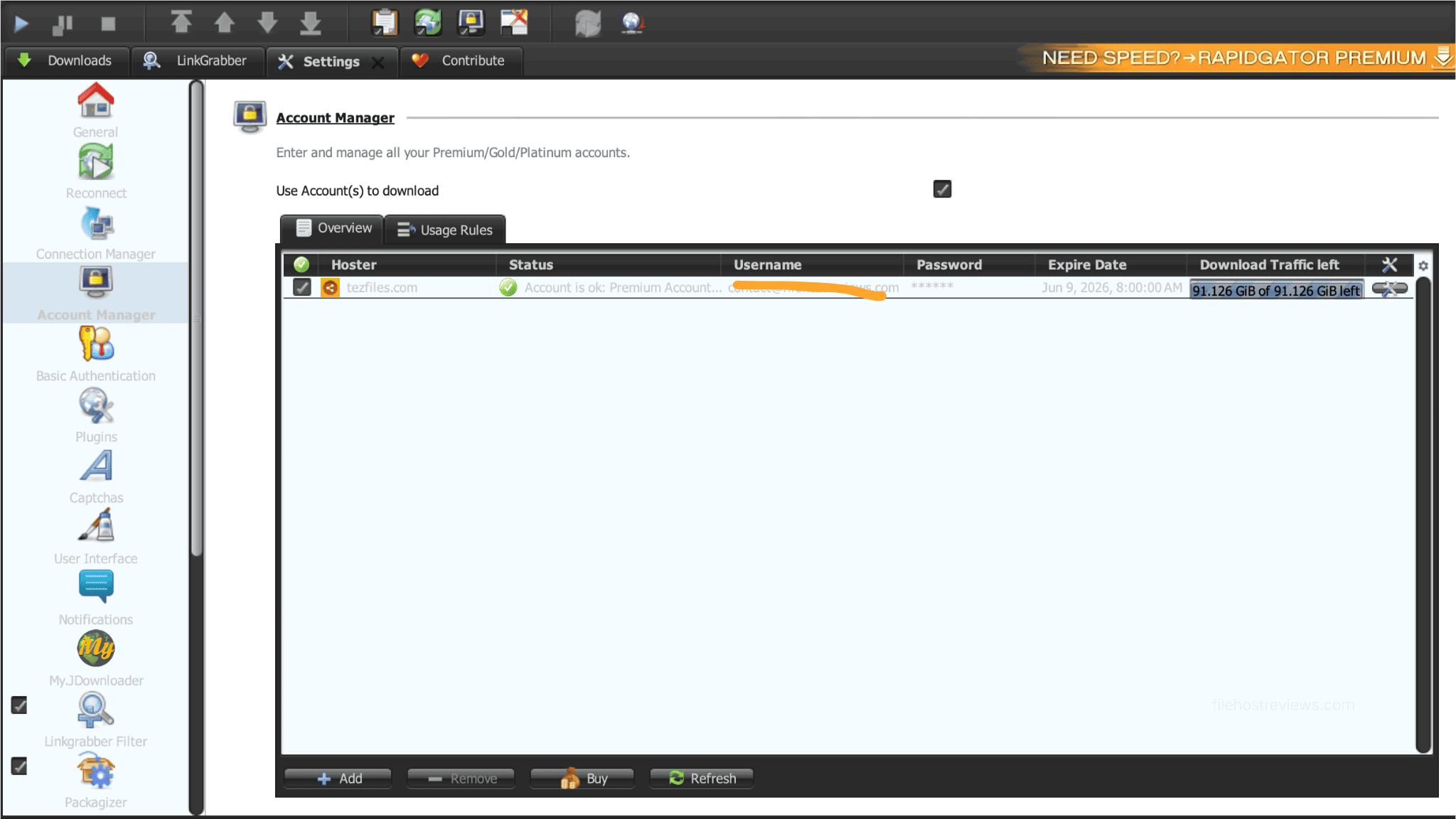
Your account then appears in the active manager list. Our check displayed 91.126 GiB of traffic remaining alongside the quota-reset countdown.
As a practical starting configuration, set JDownloader 2 to run 3 to 4 simultaneous downloads with 8 to 10 connections per file — this roughly mirrors the 38–40 total connection count that produced our 53 MiB/s benchmark results. Actual performance will still depend on your local network, ISP routing, and system hardware, but this is a solid baseline to tune from. See our guide to JDownloader-compatible file hosts for comparable setups on other services.
Visit TezFiles to Set Up PremiumLimits & Things to Know Before Buying
- The browser bottleneck is real and severe: 3.8 MB/s in Chrome versus 53 MiB/s in JDownloader 2 is a 14.7x gap. If you won’t set up JD2, the value proposition collapses.
- Daily quota math is aggressive: at a sustained 53.15 MiB/s, the full 100 GB daily allowance could theoretically be consumed in roughly 30 minutes of continuous downloading. Plan your queue sizes accordingly rather than assuming the quota will last all day under heavy use.
- Quota reset runs on a rolling window: JD2 displayed a 23h05m countdown during our check, consistent with a 24-hour rolling reset rather than a fixed daily clock.
- Quota display doesn’t match the advertised figure exactly: TezFiles advertises 100 GB/day on the plan page, while JD2 showed 91.126 GiB remaining during our account check — a different number from a different system, not a simple unit conversion of the advertised cap.
- Entry price is high: $35.94 for 30 days puts TezFiles near the top of the pricing scale for file-hosting premium access. The per-month cost improves substantially on longer terms, but confirm renewal terms before committing.
- Payment availability varies by region: direct card processing and regional payment methods can differ depending on your location. Resellers are available as a fallback if direct checkout doesn’t support your preferred method.
Alternatives & Who Should Buy
Buy TezFiles Premium if you:
- Regularly need files hosted exclusively on TezFiles with no mirror elsewhere.
- Already use JDownloader 2 or are willing to set it up for multi-connection downloading.
- Routinely download multi-part archives or batches that benefit from parallel transfers.
- Can realistically make use of the 100 GB daily allowance on Premium Max.
Skip it if you:
- Download files only through a standard web browser — the 3.8 MB/s speed doesn’t justify the price.
- Only need one or two individual files occasionally.
- Have access to identical files on faster or cheaper hosts — compare browser speed, JD2 performance, and pricing in our Rapidgator review and Uploadgig review before choosing.
- Aren’t willing to pay the elevated 30-day entry price just to test your connection and routing first.
Frequently Asked Questions
Is TezFiles Premium worth it?
It’s worth considering if you frequently need files hosted exclusively on TezFiles and are willing to use JDownloader 2. If you only download occasionally or rely entirely on a standard web browser, the 3.8 MB/s browser speed combined with the $35.94 30-day entry price makes it difficult to justify.
How fast is TezFiles Premium?
Speed depends entirely on your download method. In our benchmarks on 1 Gbps fiber, Chrome reached 3.8 MB/s on a single file and 6.8 MB/s across two files. JDownloader 2, using 38–40 open connections, reached 53.15–53.19 MiB/s (roughly 55.7 MB/s) across four concurrent files — a 14.7x improvement over the single-file Chrome result.
How fast is the free TezFiles tier?
Heavily throttled. Free downloads ran at 51.2 KB/s in our tests, after clearing a 25-second wait timer and a typed alphanumeric CAPTCHA. At that speed, a 1.1 GB file takes roughly six hours to complete.
Does TezFiles work with JDownloader 2?
Yes, and it’s essentially required to get real value from a subscription. We added TezFiles through JD2’s Account Manager, verified the Premium login, and confirmed remaining traffic plus a quota-reset countdown. Our four-file tests used 38–40 open connections to reach the 53 MiB/s benchmark.
What is the TezFiles daily download limit, and when does it reset?
The Premium Max Silver plan advertises a 100 GB daily allowance. JDownloader 2 displayed 91.126 GiB remaining during our account check, alongside a 23h05m reset countdown — consistent with a rolling 24-hour quota window rather than a fixed clock time.
What’s the difference between Premium and Premium Max?
TezFiles maintains separate Premium and Premium Max tabs on its upgrade page; we tested only Premium Max Silver, which advertises 100 GB/day, priority support, simultaneous downloads, resumable downloads, and maximum speed. Check the live Premium tab directly for current standard-tier allowances before assuming it matches the Max tier.
How do I redeem a TezFiles reseller code?
Click “I have a code” on the checkout page, or enter your key into the “Reseller Code” field under Account Information, then click “Activate my code.” This field is for prepaid vouchers purchased from authorized resellers, not promotional discount codes.
Final Verdict
TezFiles earns a 7.5/10. It is not a good all-around host for casual browser downloading — a single Chrome transfer topping out at 3.8 MB/s against a $35.94 30-day price tag is a tough sell on its own. But paired with JDownloader 2, the story flips completely: two separate multi-connection runs reached 53.157 and 53.195 MiB/s combined, a 14.7x improvement that actually puts a 1 Gbps connection to work. This is a specialized tool, not a general-purpose host: skip it if you’re downloading through a browser alone, but consider it seriously if you need TezFiles-exclusive files and are ready to configure JDownloader 2’s multi-threading to unlock the speed you’re paying for. Start with the 30-day plan to confirm performance on your own connection before committing to a longer term.
Check TezFiles Premium Availability