
Quick Answer & Verdict
Keep2Share’s free tier is punishing by design. We measured 22.4 KB/s on a 467 MB file, sat through a 20-second initial countdown just to start, and then hit a 56-minute 6-second wait before the site would let us start a second file. Upgrade to Premium Pro and the picture changes completely: a single Chrome download hit 11.6 MB/s, and JDownloader 2 pushed a combined 25.761 MiB/s across four files running on 40 open connections. That’s the difference between a download taking all afternoon and finishing before you’ve made coffee.
Not every paid tier delivers that result, though. Basic Premium caps you at 10 GB/day, is restricted to “New users only,” and doesn’t support JDownloader 2 accelerators or parallel downloads — it’s a trap for anyone who actually wants the speed this review demonstrates. Premium Pro, with its 50 GB/day allowance and full accelerator support, is the tier we tested and the one we recommend. If you’re eyeing Premium Max for its 100 GB/day ceiling, know the checkout before you click: the 90-day Max card screen billed $100.92, not the $96.30 you’d calculate from the advertised daily rate. And regardless of tier, your quota resets at 00:00 GMT — not your local midnight — so plan large queues around that clock.
Key Facts & Benchmark Summary
Every figure below comes from hands-on testing on a 1 Gbps symmetric fiber connection, following our standard testing methodology.
| Metric | Result |
|---|---|
| Free tier speed | 22.4 KB/s on a ~467 MB file |
| Free tier gating | 20-second initial wait + 56-minute 6-second cooldown before the next file |
| Chrome single-file speed (Pro) | 11.6 MB/s |
| Chrome parallel speed (Pro) | 18.5 MB/s combined (6.0 + 6.3 + 6.2 MB/s across 3 files) |
| JDownloader 2 speed (Pro, 4 files) | 25.761 MiB/s across 40 open connections |
| Tested tier | Premium Pro — 50 GB/day allowance |
| Traffic reset | 00:00 GMT daily |
| Pricing | Basic $0.67/day, Pro $0.80/day, Max $1.07/day (90-day rates) |
Keep2Share Plans & Pricing: Basic vs Pro vs Max
Keep2Share sells three paid tiers — Basic Premium, Premium Pro, and Premium Max — each defined by a daily bandwidth cap rather than a total allowance for your subscription period. The tier that matters most to understand before buying is Basic Premium: it’s gated behind a “New users only” eligibility badge, and critically, it does not support download accelerators or simultaneous/parallel downloads. If you’re planning to use JDownloader 2 or want to run multiple files at once, Basic simply won’t do it — no matter how cheap it looks.
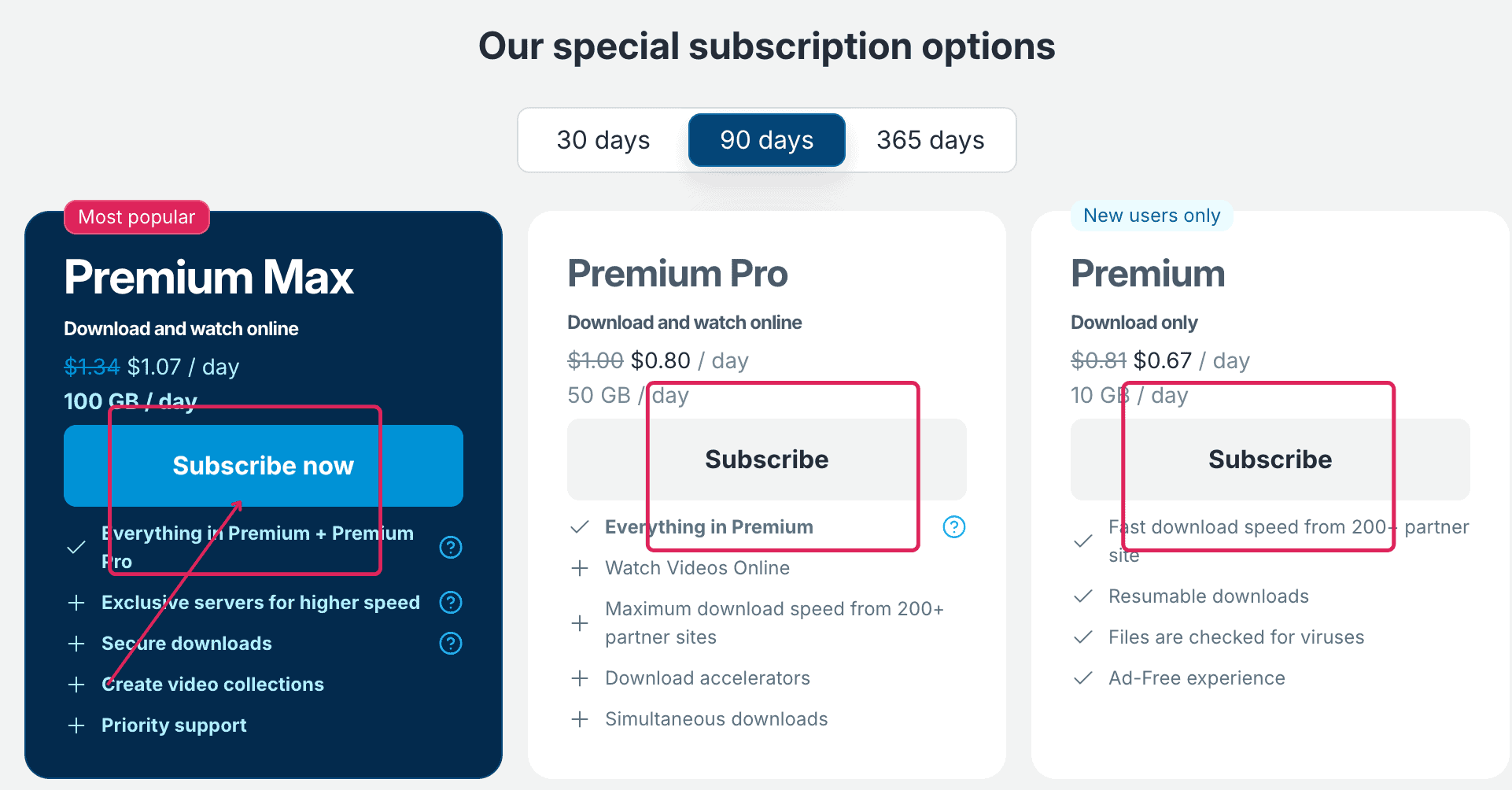
Here’s how the three tiers compare at the 90-day rate, with daily rates multiplied out to show the approximate total:
| Plan Tier | Daily Rate (90 Days) | 90-Day Estimate | Daily Traffic Limit | JD2 / Accelerator Support |
|---|---|---|---|---|
| Basic Premium | $0.67/day | ~$60.30 | 10 GB/day | New users only — no accelerators, no parallel downloads |
| Premium Pro | $0.80/day | ~$72.00 | 50 GB/day | Full support — accelerators & simultaneous downloads |
| Premium Max | $1.07/day | ~$96.30 | 100 GB/day | Full support, plus exclusive servers |
Premium Max also breaks out by duration, with the per-day cost dropping the longer you commit:
| Premium Max Duration | Daily Rate | Daily Bandwidth Quota |
|---|---|---|
| 30 days | $1.33/day | 100 GB/day |
| 90 days | $1.07/day | 100 GB/day |
| 365 days | $0.85/day | 100 GB/day |
A daily rate is a pricing convention, not a billing schedule — you’re charged once for the full term, not daily. But the math doesn’t always land where you’d expect: our 90-day Premium Max card checkout displayed a final charge of $100.92, not the ~$96.30 you’d calculate from the advertised $1.07/day rate. That’s roughly $4.62 higher than the sticker math suggests. Always check the actual charge on the final payment screen — currency conversion, processing fees, or regional pricing adjustments can all move the number. Premium Pro remains our tested recommendation for parallel downloads within a 50 GB/day budget.
FileHostReviews may earn a commission if you buy through our links. This does not change our test results.
Check Current Keep2Share Plans & PricingFree vs Premium, Pro & Max: What Actually Changes
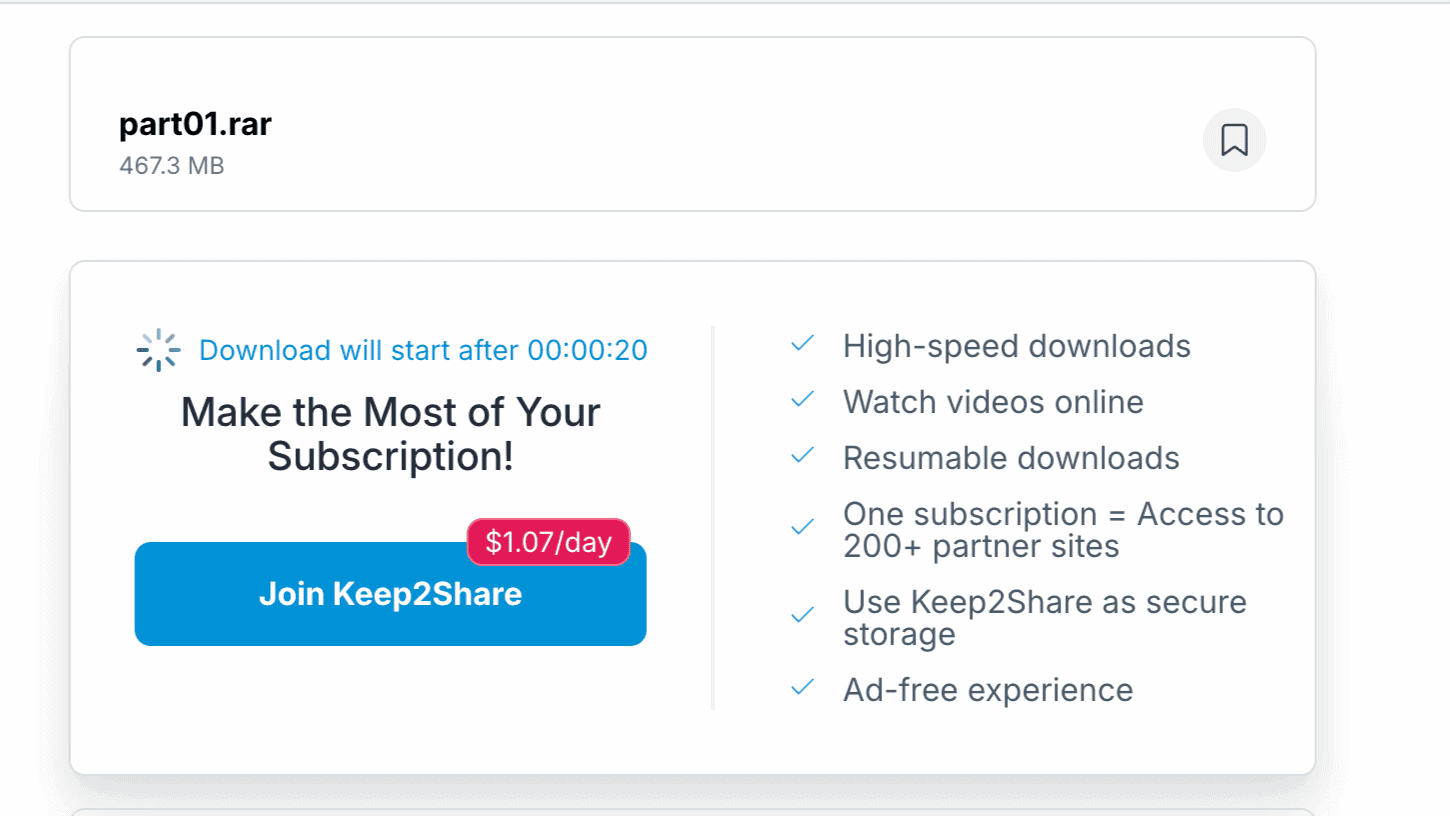
Our free-tier test was a genuine slog, built around two separate waiting periods plus a crawling transfer speed. The first file page opened with a 20-second countdown before any download could begin.
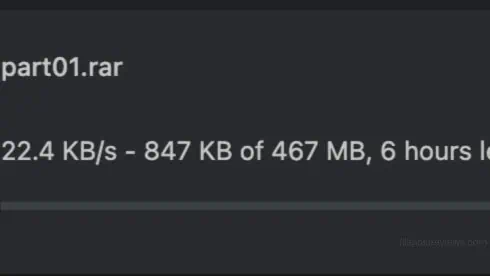
Once the download actually started, Chrome showed 22.4 KB/s on an approximately 467 MB archive, projecting roughly six hours to finish. At that rate, a single mid-size archive eats most of your day.
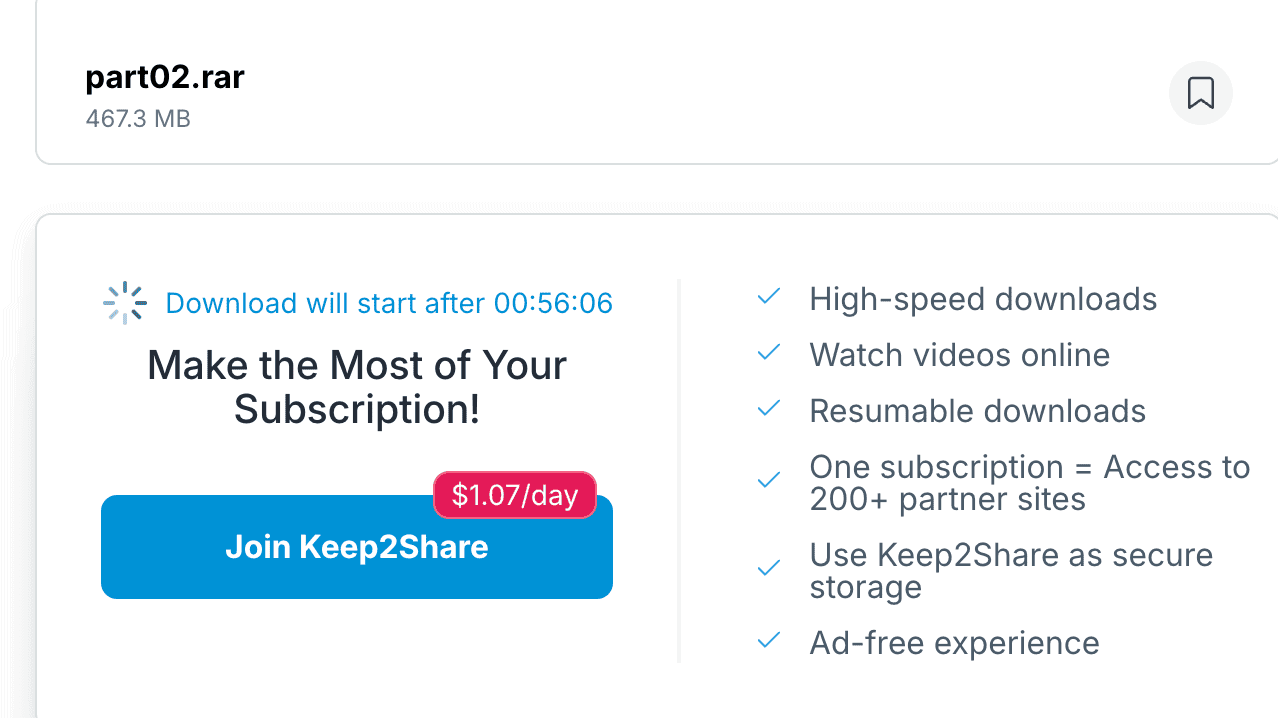
Then comes the real kicker: once that download finished, the page for the next file displayed a wait of 56 minutes 6 seconds — not the 20-second countdown from before, but a near hour-long cooldown before you’re allowed to start again. For anyone trying to pull a multi-part archive on the free tier, this single wait makes the whole exercise impractical.
| Feature | Free Tier | Basic Premium | Premium Pro | Premium Max |
|---|---|---|---|---|
| Daily Download Quota | Not applicable | 10 GB/day | 50 GB/day | 100 GB/day |
| Speed (observed/advertised) | 22.4 KB/s observed | Advertised fast, not tested | 18.5 MB/s across 3 Chrome files (tested) | Exclusive servers advertised, not tested |
| Simultaneous Downloads | Not tested | Not supported | Supported & tested | Supported, not tested |
| Download Accelerators | Not tested | Not supported | Supported & tested | Supported, not tested |
| Wait Between Files | 56 minutes observed | Not timed | Not timed | Not timed |
| Resuming Broken Downloads | Restart required (official policy) | Resumable advertised | Resumable advertised | Resumable advertised |
We confirmed Premium Pro’s accelerator and parallel-download support directly through our own speed tests below. We didn’t test Basic Premium’s JD2 login — its own feature listing already excludes accelerator support, so there’s little reason to expect a different result. Max’s exclusive servers, video library, and priority support remain unverified by us. One policy worth flagging regardless of tier: Keep2Share’s own free-download help documentation states that failed free downloads cannot be resumed — if your connection drops mid-transfer on the free tier, you’re starting over from zero.
Real Speed Test Results: Chrome vs JDownloader 2
All Premium Pro tests ran on a 1 Gbps symmetric fiber connection, following our standard testing methodology.
Chrome Browser Speed Tests (11.6 to 18.5 MB/s)
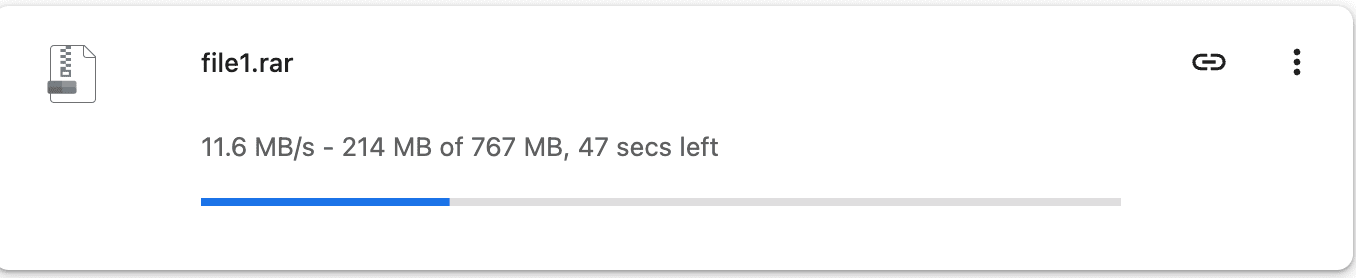
A single-file download of a 767 MB file hit 11.6 MB/s in Chrome, with no external download manager involved — a strong baseline for a straightforward browser download.
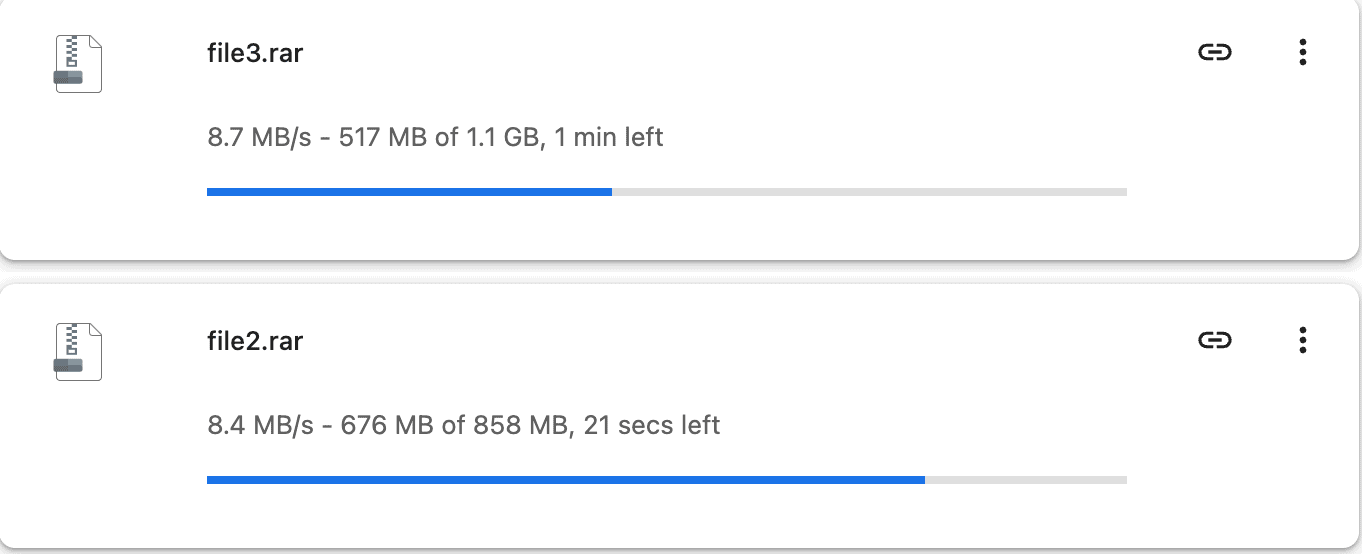
Running two files at once produced 8.7 MB/s and 8.4 MB/s per file — a combined 17.1 MB/s, confirming Pro scales across parallel connections rather than splitting a shared cap.
Adding a third concurrent file brought individual speeds to 6.0, 6.3, and 6.2 MB/s — a combined 18.5 MB/s, the highest aggregate we measured in Chrome.
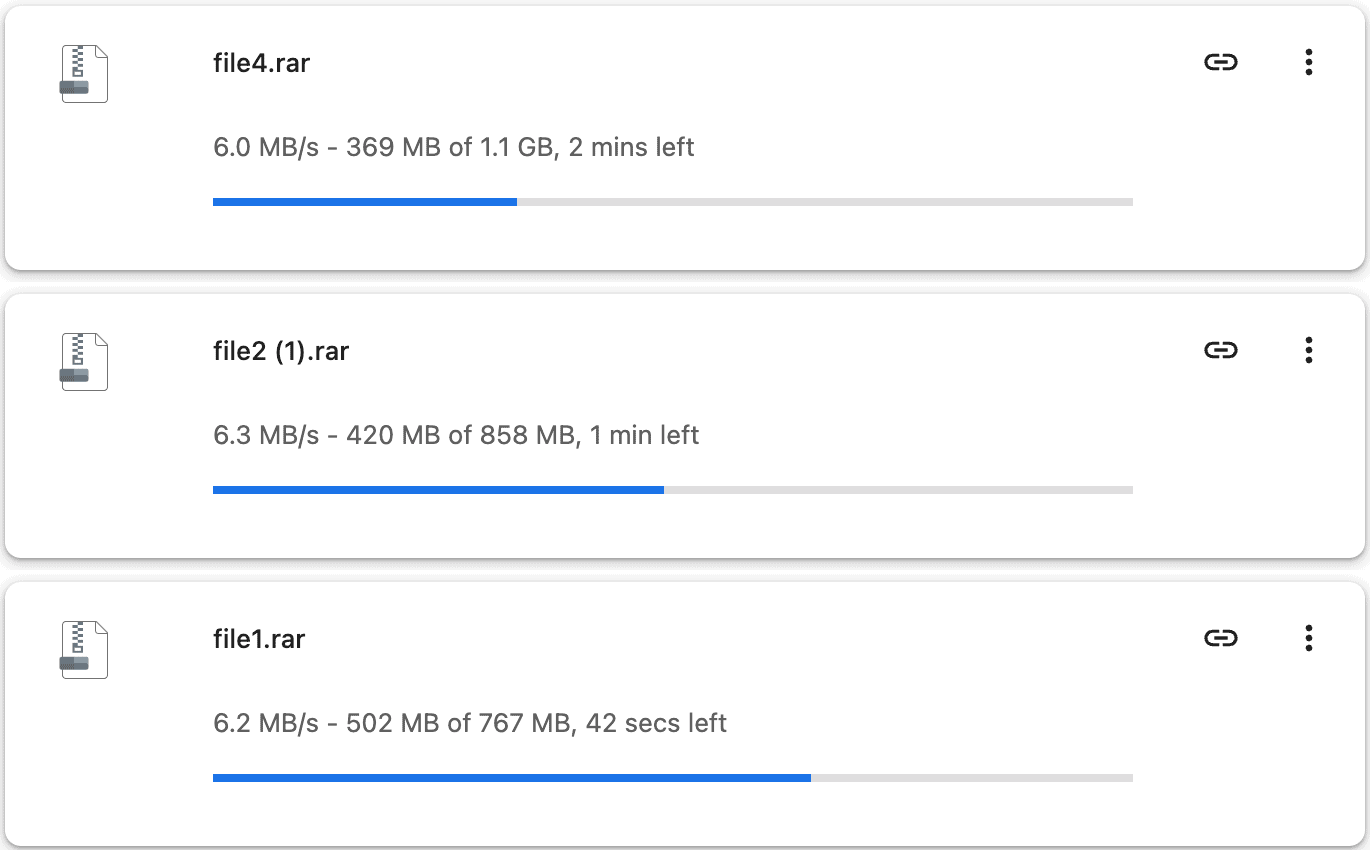
The pattern here is consistent: per-file speed drops as you add more concurrent files, but the combined total keeps climbing — the hallmark of a server that rewards parallel downloading over single-stream speed.
JDownloader 2 Multi-Connection Test (25.761 MiB/s)
Pushing four files at once through JDownloader 2 is where Premium Pro really shows its strength. The queue totaled 3.796 GiB across four files, and JD2’s Download Overview reported a current combined speed of 25.761 MiB/s running across 40 open connections.
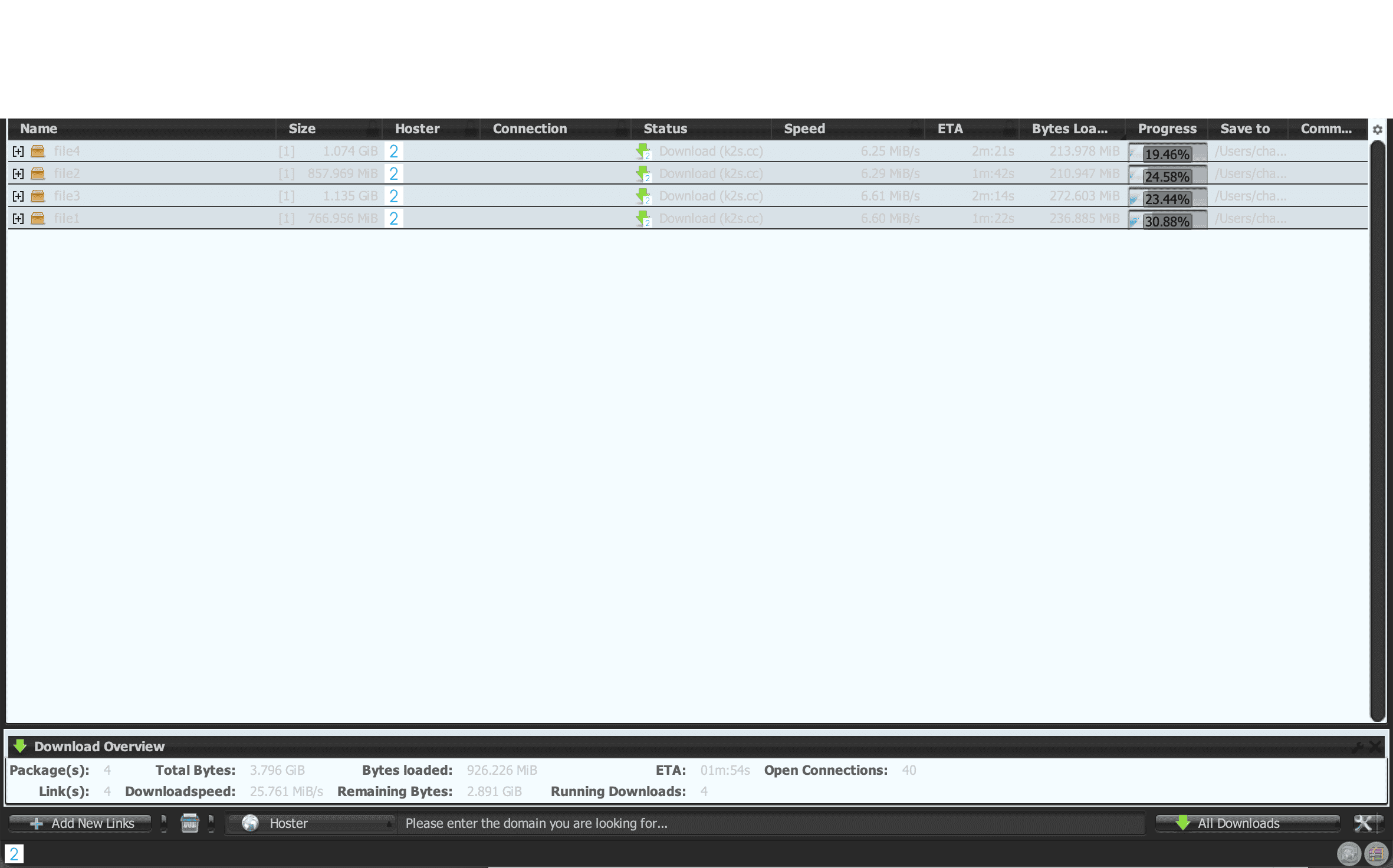
Forty open connections across four files works out to roughly ten connections per file on average — this is JD2’s multi-chunk downloading at work, splitting each file into multiple simultaneous streams rather than pulling it over a single connection. For multi-part RAR or ZIP archives, this is exactly the configuration you want: instead of waiting on one file at a time, JD2 saturates your line by chunking everything in the queue simultaneously.
How to Buy Keep2Share Premium & Activate Vouchers
Create an account, choose a plan, and review the payment screen before confirming. The checkout screenshots below show the Premium Max flow; our speed tests used Premium Pro.
- Account Registration: Click Sign Up in the header. Enter your email and a password meeting the displayed rules — at least eight characters, upper- and lowercase letters, and a number. Google sign-in is also available.
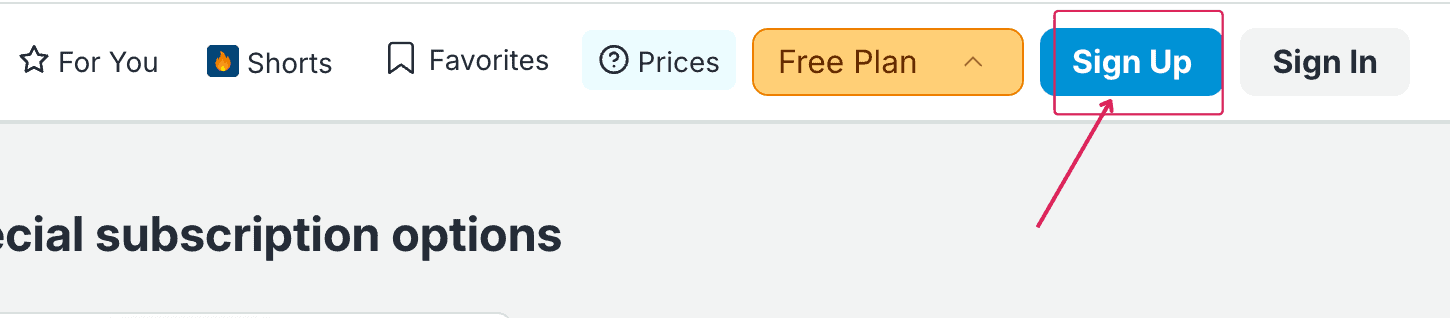 Click the Sign Up button located in the top navigation bar.
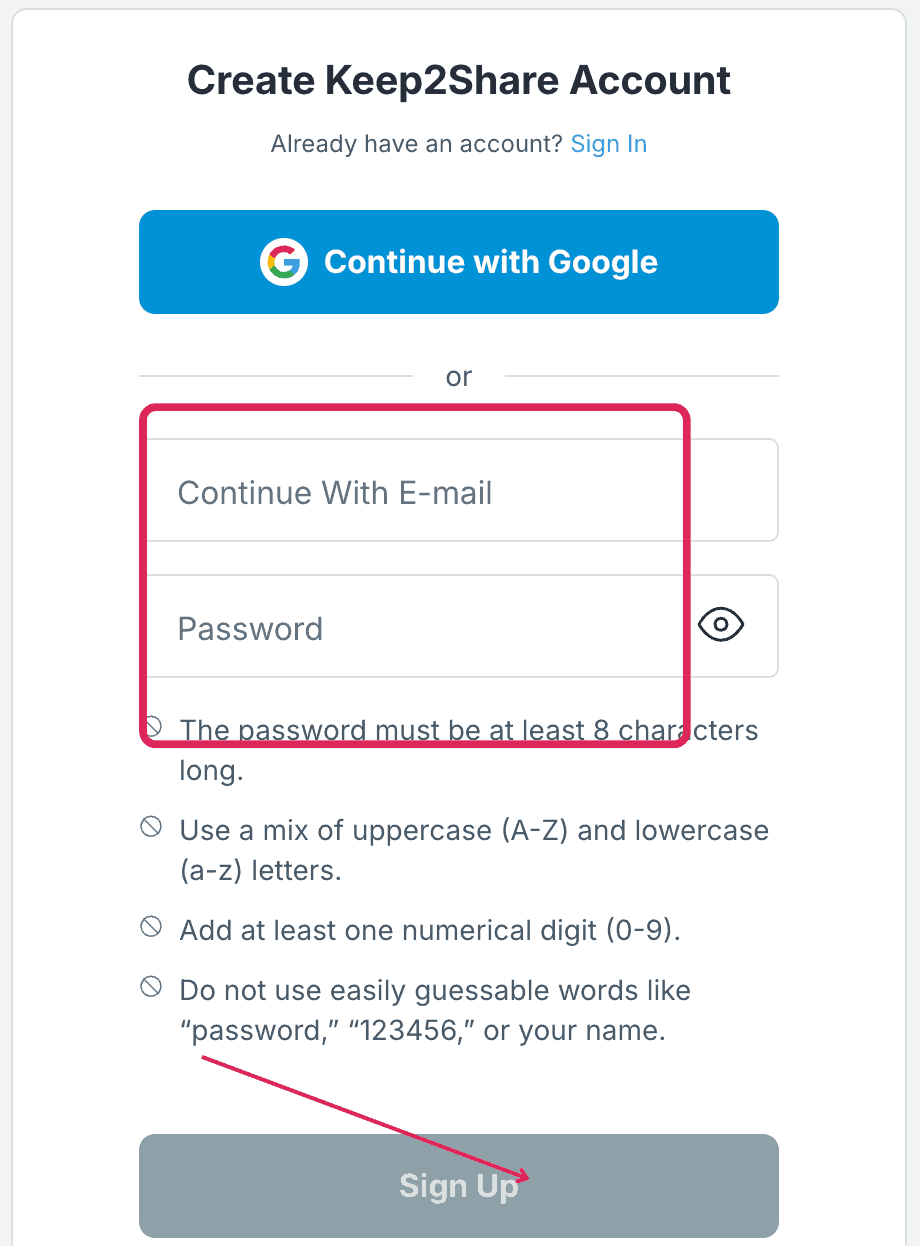 Enter your email and a password meeting the stated rules.
- Plan Selection & Payment Options: Choose your tier and duration. The checkout lists cards, Google Pay, crypto, Alipay, PayPay, PayPal, and other options — note that PayPal carries an added transaction fee.
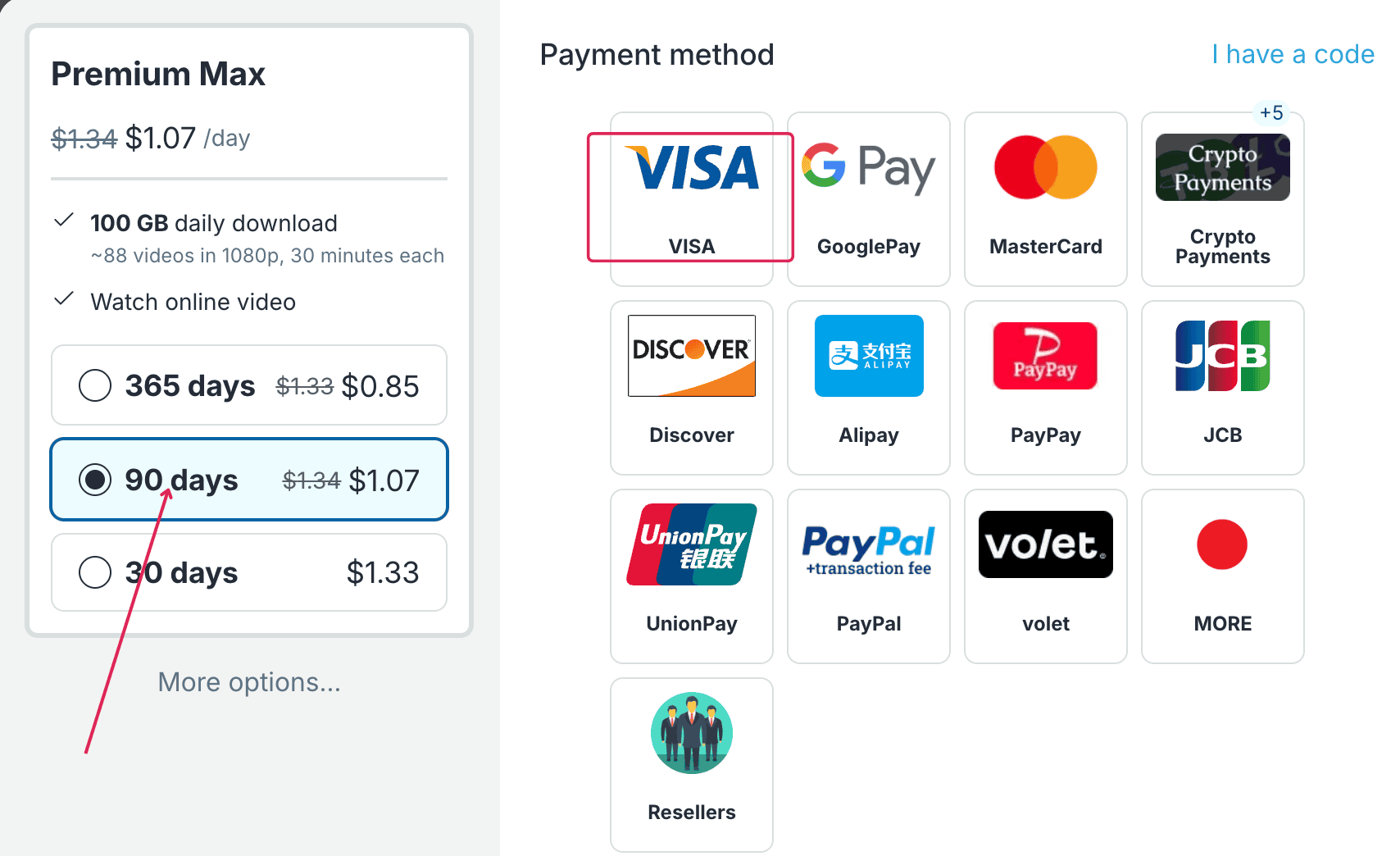 Max checkout displaying plan durations and several payment options.
- Review Total Charge: On our 90-day Premium Max card checkout, the payment button displayed Pay $100.92 — notably above the $96.30 you’d calculate from the advertised $1.07/day rate. Always verify the final currency and amount on this screen before paying.
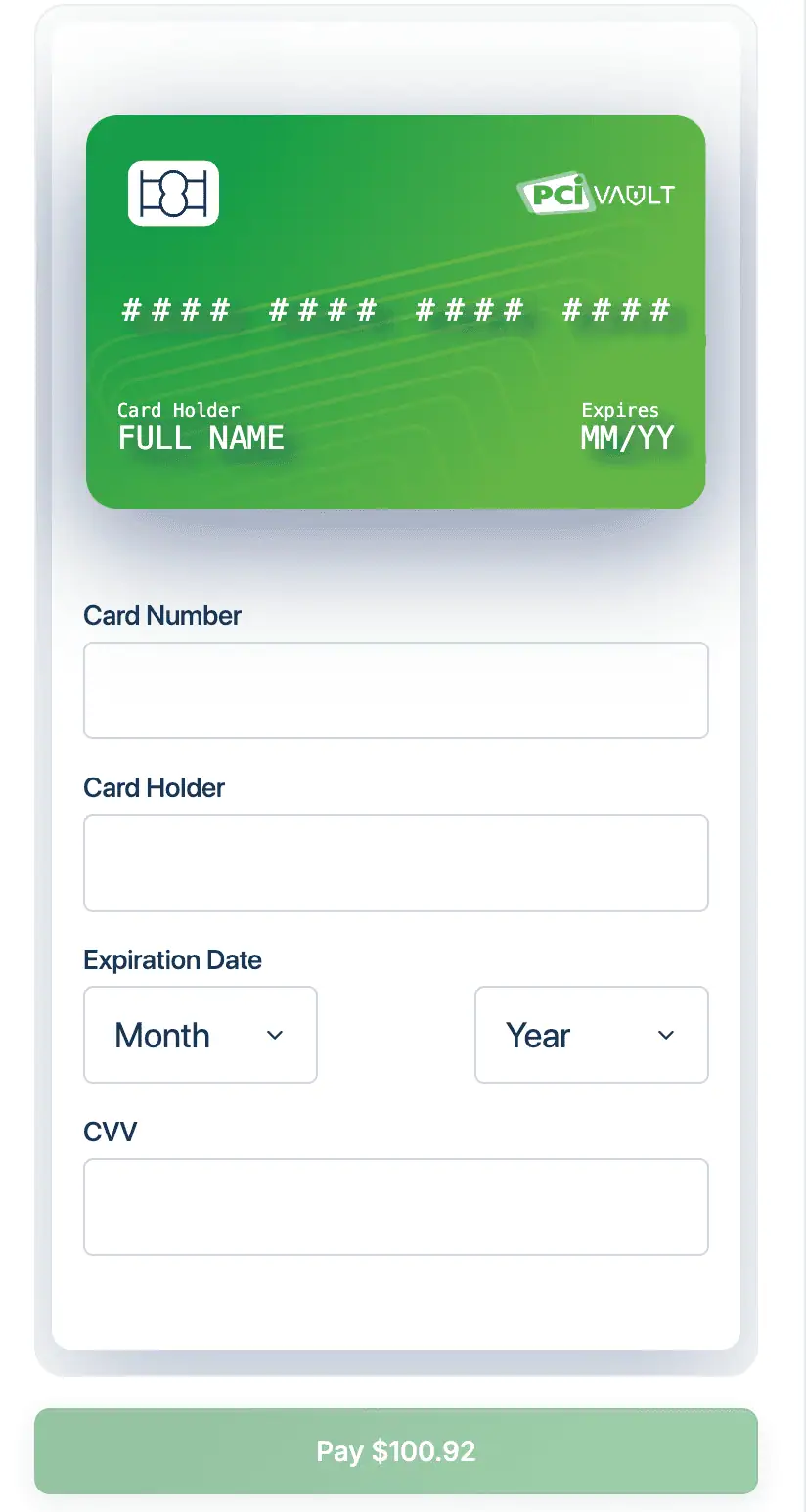 Card checkout displaying a Pay $100.92 button for this order.
Reseller Purchases and 40-Character Code Activation
Keep2Share checkout also lists third-party resellers as a purchase route. The list we captured was specific to 90-day Max codes — other tiers and durations may show different sellers.
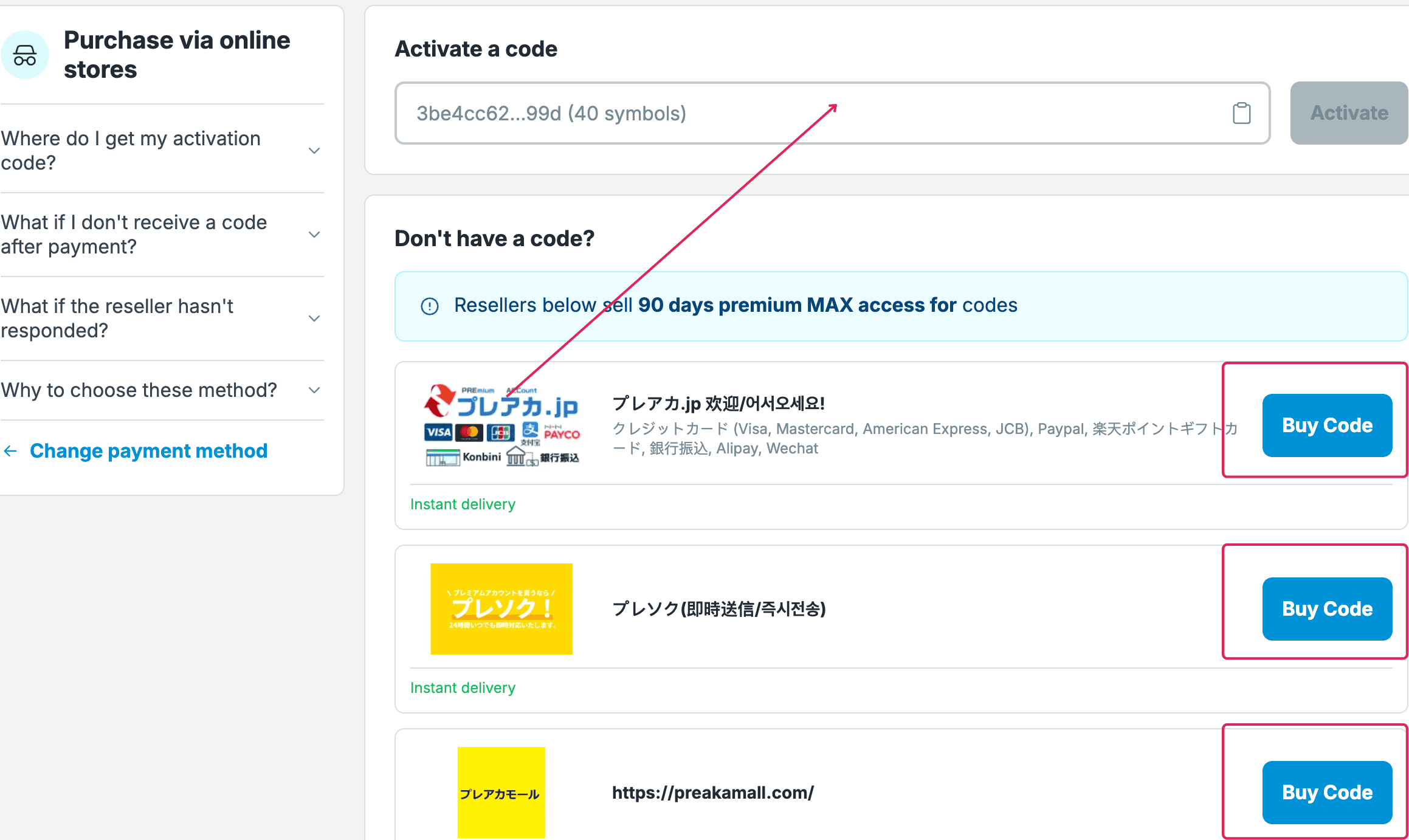
Before buying a code from any reseller, confirm its tier, duration, final price, and delivery terms. Keep2Share’s official voucher guide describes a 40-character activation code redeemed in two steps:
- Open Code Entry: Click “I have a code” at the top right of the payment screen.
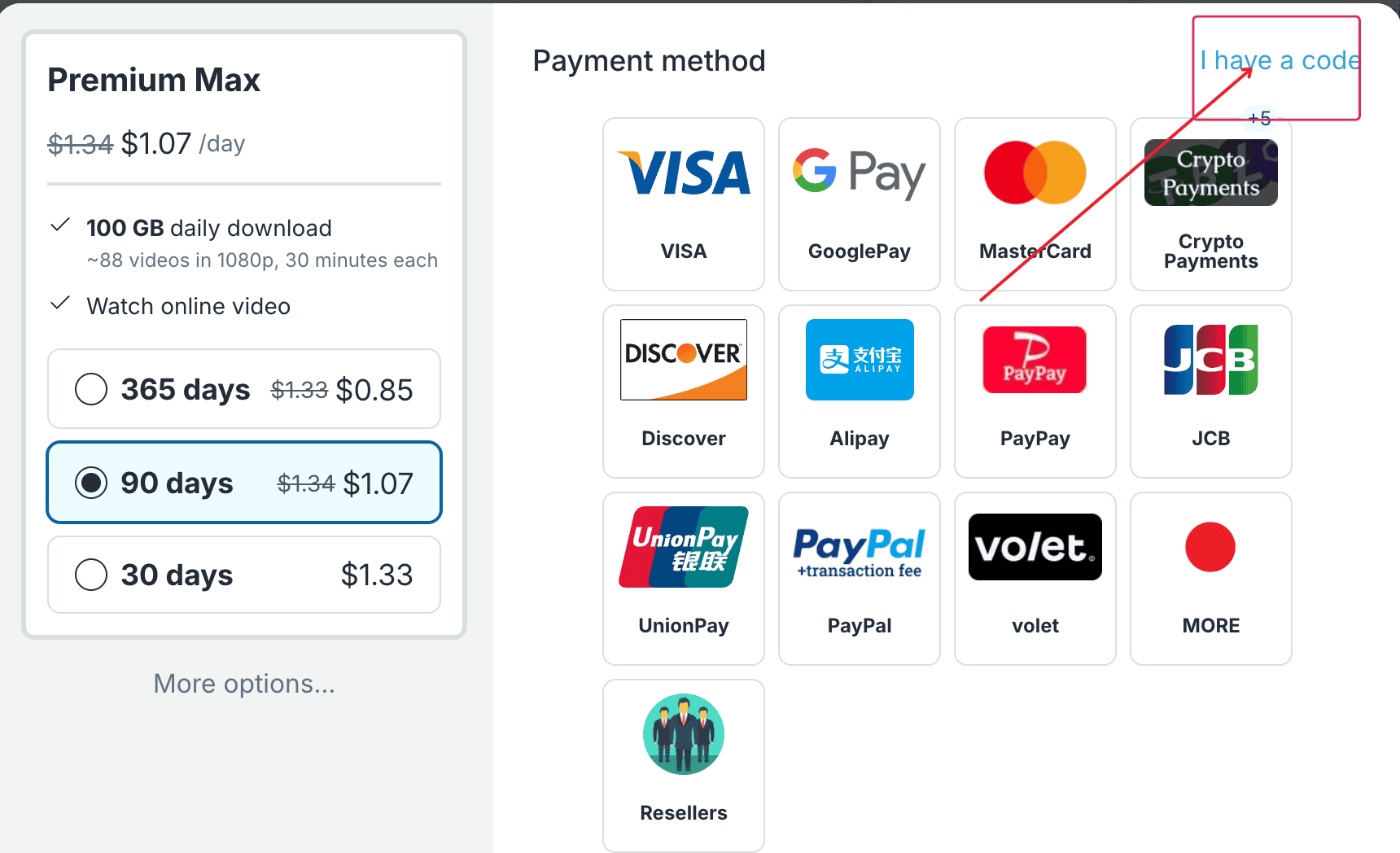 Click the I have a code link to open the voucher field.
- Enter Voucher: Paste your 40-character code into the Reseller Code box and click Activate.
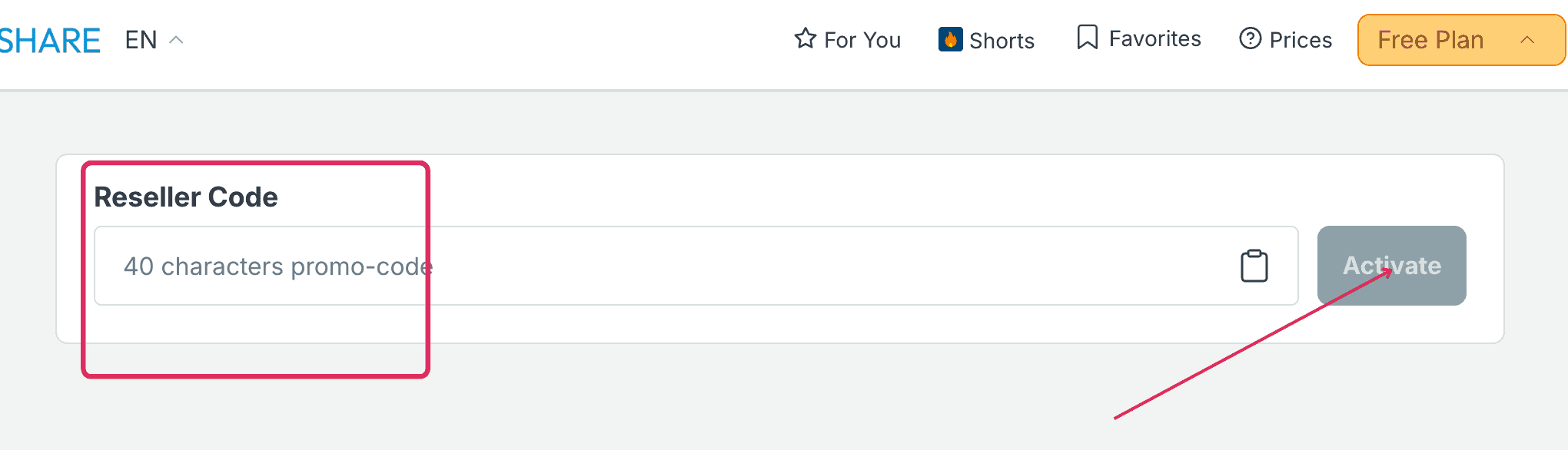 Paste the 40-character voucher code and click the Activate button.
Use the access code supplied by your seller exactly as given — this field activates a prepaid subscription, not a discount code. If the code is missing or fails to activate, contact the seller first rather than Keep2Share support.
How to Use & JDownloader 2 Setup
Sign in before opening any download links. Our test profile had “Enable Direct Download” selected — this skips the file landing page entirely and jumps straight to the transfer. It changes how you access the file, not your traffic allowance.
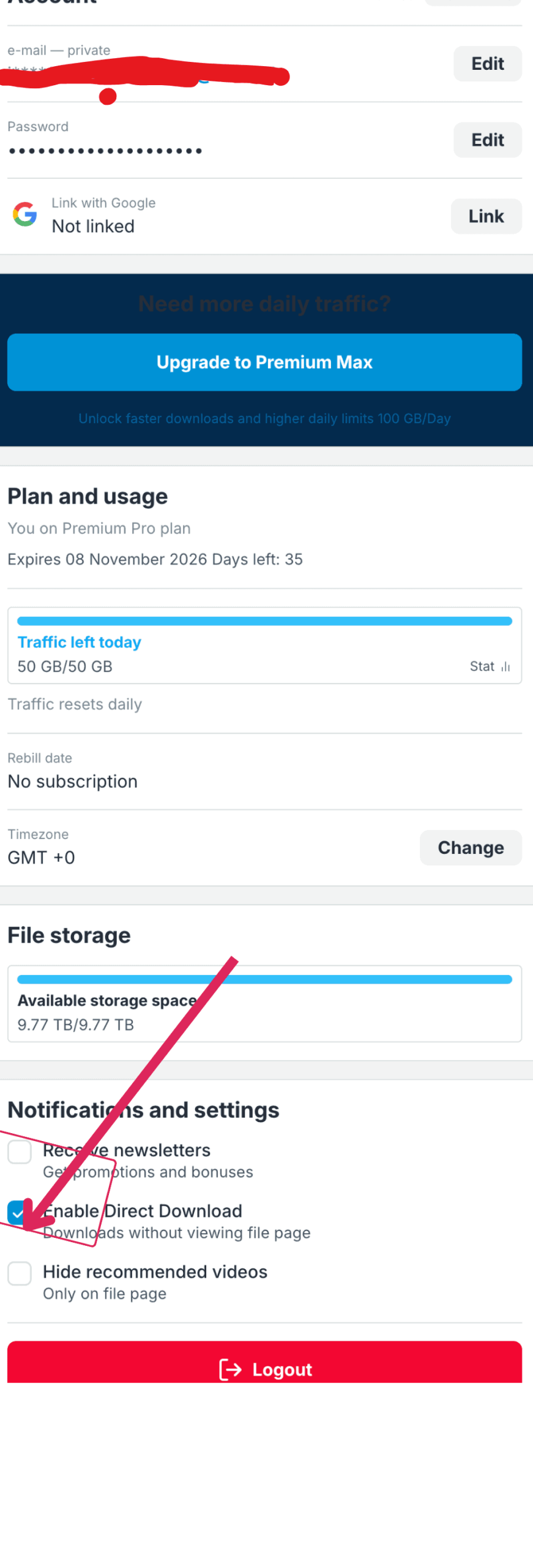
Our account profile displayed Pro status, 50 GB/50 GB traffic, “Traffic resets daily,” and “Rebill date: No subscription.” To link the same account in JDownloader 2:
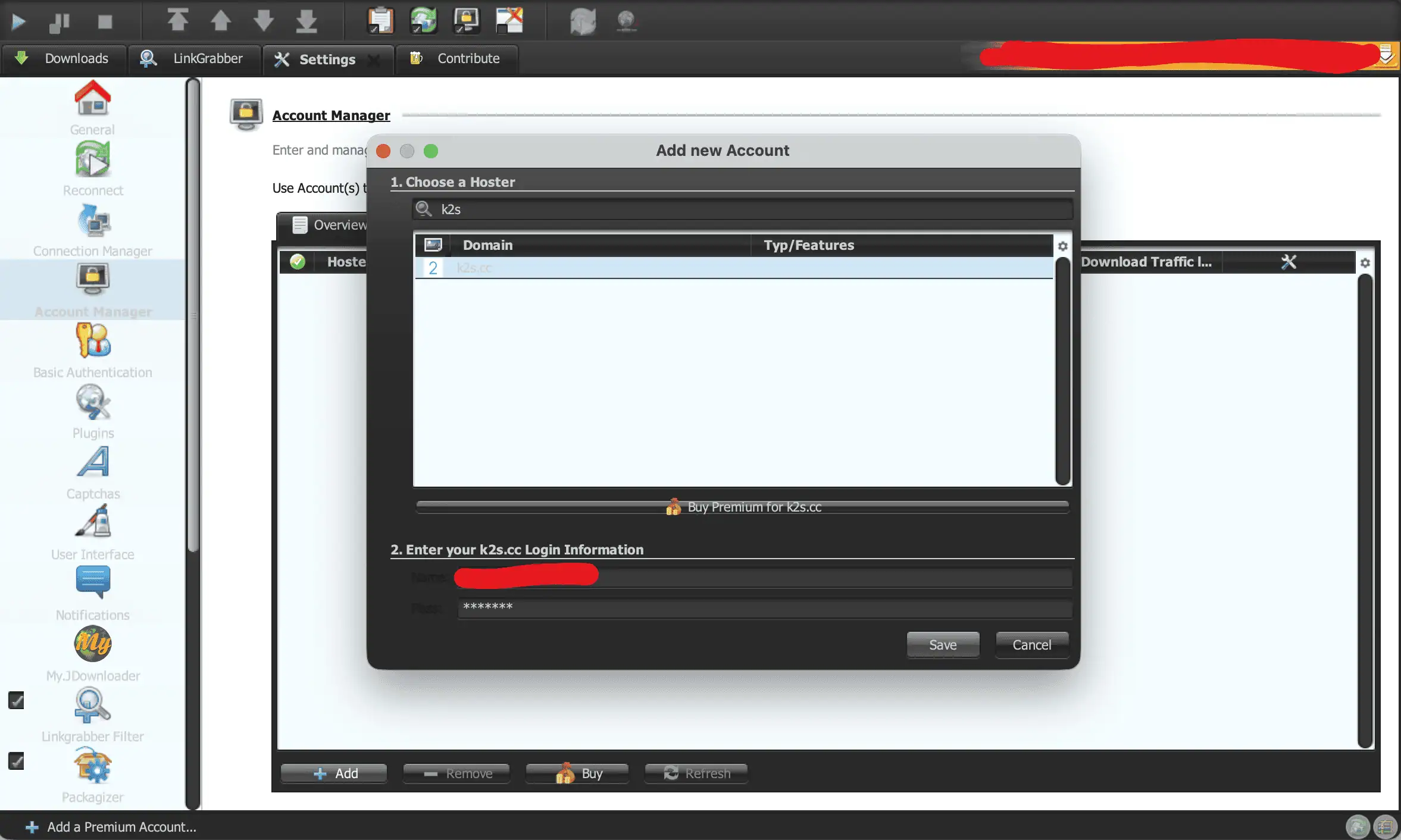
- Open JDownloader 2 Settings and select Account Manager from the sidebar.
- Click the Add button at the bottom of the window.
- Select
k2s.ccfrom the domain menu, enter your Keep2Share username and password, and click Save.
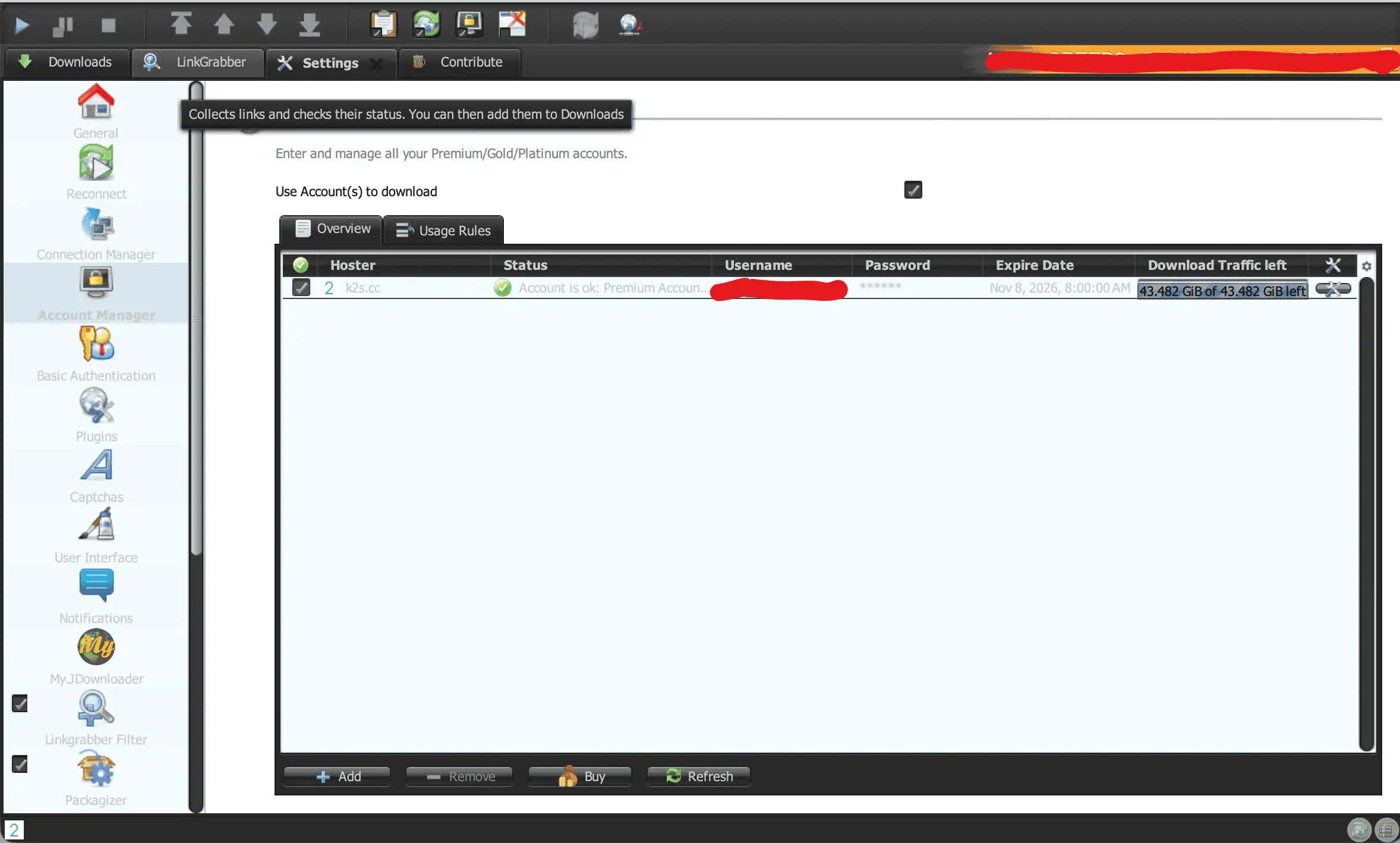
Account Manager confirmed Premium status and displayed 43.482 GiB of 43.482 GiB remaining — JD2’s own traffic counter, distinct from the website’s 50 GB daily allowance shown on your account profile. For other hosts that work with the same client, see our JDownloader compatible file hosts guide.
Limits & Things to Know Before Buying
- Strict daily bandwidth caps: 10 GB/day on Basic, 50 GB/day on Pro, 100 GB/day on Max. These are daily quotas, not a pool that covers your whole subscription period.
- 00:00 GMT reset, not local time: Keep2Share’s traffic documentation confirms the daily allowance resets at midnight GMT. If you’re not in that timezone, your personal reset time will differ from your local midnight.
- Full-file deductions on cancellations and previews: Keep2Share’s traffic-counting policy states that online video previews and downloads canceled after starting can deduct the FULL file size from your daily quota — not just the portion actually transferred. This is a harsh rule worth factoring in before queuing large files or browsing video previews casually.
- Checkout price markup: our 90-day Max card checkout billed $100.92 against a calculated estimate of $96.30 from the advertised daily rate. Confirm the actual charge on the final screen every time.
- Auto-renewal terms vary by purchase: Keep2Share documents recurring subscriptions as an option, even though our test account showed “No subscription.” Check your specific order’s rebill status in your account after payment.
Alternatives & Who Should Buy
Match your plan choice to your actual download volume and tools:
- Free Tier: only worth using for a single small, non-urgent file — the 56-minute cooldown makes anything beyond that impractical.
- Basic Premium: avoid unless you only need one or two files manually downloaded and specifically qualify for the new-user discount. It lacks JD2 accelerator and parallel-download support entirely.
- Premium Pro: the best all-around choice — full JD2 multi-threading support, 50 GB/day, and the tier we benchmarked at up to 25.761 MiB/s.
- Premium Max: worth the upgrade only if your daily volume genuinely exceeds 50 GB and you need the 100 GB/day ceiling — we haven’t verified a speed advantage over Pro.
Keep2Share makes the most sense when it’s the only host carrying the files you need. If an uploader provides mirrors on a service you already subscribe to, compare prices and allowances before paying twice — check our Keep2Share alternatives guide for other options. If you’re using a multihoster or debrid service, verify its current Keep2Share support and applicable quota before assuming every link will work.
Frequently Asked Questions
Is Keep2Share Premium worth it?
If you regularly need files hosted on Keep2Share, yes — particularly Premium Pro, which we tested for parallel downloads and JD2 compatibility. Weigh its 50 GB/day allowance and final checkout price against your actual usage and any available mirrors.
What’s the difference between Premium, Pro and Max?
Basic Premium offers 10 GB/day but carries a “New users only” restriction and no accelerator or parallel-download support. Pro bumps that to 50 GB/day with full accelerator and simultaneous-download support. Max tops out at 100 GB/day with exclusive servers and priority support advertised, though we haven’t independently verified those extras.
How fast is Keep2Share Premium Pro?
In our tests, Pro reached 11.6 MB/s on a single Chrome download and 18.5 MB/s combined across three simultaneous browser streams. In JDownloader 2, four concurrent files hit a combined 25.761 MiB/s across 40 open connections.
What’s the daily download limit, and when does it reset?
Daily allowances are 10 GB (Basic), 50 GB (Pro), and 100 GB (Max). Keep2Share’s own documentation confirms the reset happens at 00:00 GMT daily — not your local midnight, so plan accordingly if you’re outside that timezone.
Does Keep2Share work with JDownloader 2?
Yes. We added our Pro account under the k2s.cc domain in JD2’s Account Manager, and it confirmed Premium status along with remaining traffic. Our four-file download test in JD2 reached 25.761 MiB/s combined. We haven’t tested Basic Premium or Max specifically within JD2.
Does Keep2Share renew automatically?
Keep2Share documents recurring subscriptions as an available option, though our test profile showed “Rebill date: No subscription.” That status is specific to our account and doesn’t guarantee the same terms on every purchase — check your checkout terms and confirm your own account’s rebill status after paying.
How do I activate a reseller code?
Open the Keep2Share checkout screen and click “I have a code.” Enter your 40-character voucher into the Reseller Code box and click Activate to apply the prepaid subscription to your account.
Final Verdict
Premium Pro is the sweet spot in Keep2Share’s lineup — 50 GB/day paired with full JD2 accelerator and parallel-download support, backed by real numbers: 11.6 MB/s on a single Chrome file and 25.761 MiB/s combined across four files in JDownloader 2. Basic Premium might look cheaper on paper, but its missing accelerator support and new-user-only restriction make it a poor match for anyone who actually wants the performance demonstrated in this review. Max makes sense only if your daily volume genuinely exceeds 50 GB — just budget for the $100.92 real-world charge on the 90-day term, not the lower calculated estimate, and remember that your quota resets at 00:00 GMT.
Check Current Keep2Share Pricing